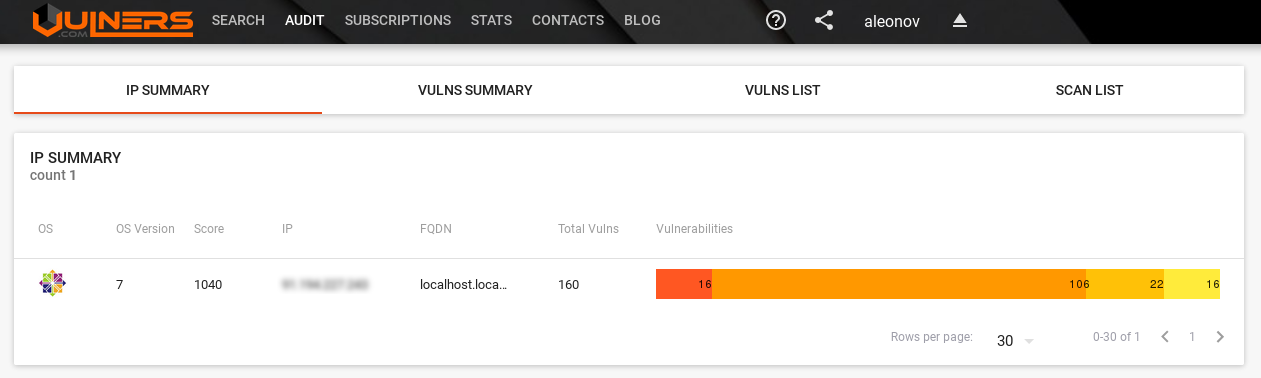
GSM Community Edition and lagging OpenVAS Plugin Feed. As I already wrote in “Installing OpenVAS 9 from the sources“, since May 2017 OpenVAS 9 is available in a form of free virtual appliance. It is called GSM Community Edition (GCE) and is based on Greenbone commercial product GSM ONE.
What’s the difference between GSM ONE and free GCE? GSM Community Edition uses different Community Feed of NASL plugins, it can’t be updated automatically and does not have some management features. The most important, in my opinion, is that it does not support OpenVAS Management Protocol (OMP), API for managing scanners. Only HTTPS for WebGUI and SSH are available.
That seems like Greenbone is rather tired of developing OpenVAS by themselves and watching how other companies use theirs engine and feeds, positioning themselves as an “alternative to Greenbone’s product at a better price”. So, they decided:
“OpenVAS NVT Feed” will be renamed to “Greenbone Community Feed”
Public access to the “openvas-nvts” SVN repository will be forbidden, but the license of nasl plugins won’t be changed.
Now Community Feed lags 14 days from commercial feed, but Greenbone would like to make an actual feed, but without some features for enterprise customers.
I really care about Greenbone and they, of course, do as they think is better for the company and OpenVAS community, but at the same time it reminds me situation with Tenable and Nessus. Maybe not so radical. But definitely in the same direction.
Feed delayed for 2 week can’t be used effectively for obvious reasons. If you see exploitation of critical vulnerability like WannaCry in the wild and will need to wait 2 weeks to check your infrastructure, it’s a nonsense! 🙂 That’s mean that you just can’t rely on OpenVAS anymore. And if you use it, you should think about migration on commercial solution, for example on Greenbone’s GSM, or think about getting actual plugin feed somewhere else.
The good thing, it might show customers once again that knowledge base of Vulnerability Management solution is important and stimulate other security content developers to make own nasl scripts and feeds.
But let’s go back to GSM Community Edition. Detailed description of installation process you can find on official site. I will just describe my own experience.
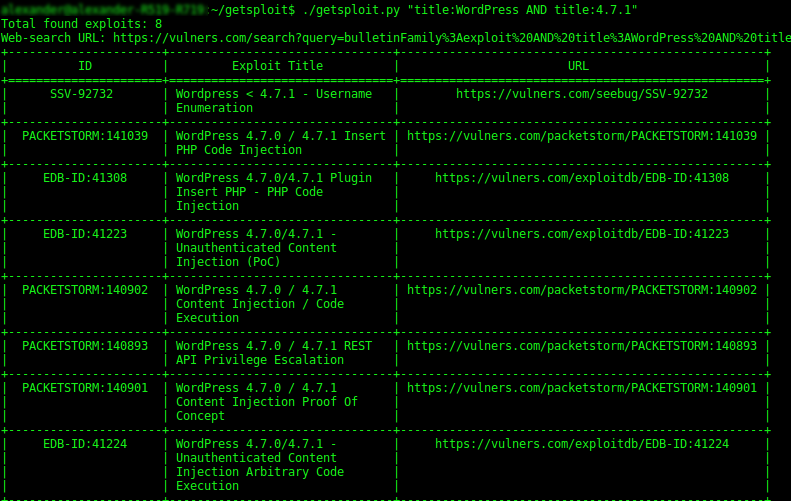
getsploit from Vulners.com. Kirill Isox Ermakov, the founder of Vulners, has recently presented a new open-source tool for searching and downloading exploits – getsploit.
Let’s say we want to pentest some WordPress blog. For example, this website avleonov.com. We can get WordPress version simply using curl:
As you can see on the screen shot, getsploit makes a search request to vulners.com: bulletinFamily:exploit AND title:WordPress AND title:4.7.1 and matches objects in Immunity Canvas, DSquare Exploit Pack, Exploit-DB, Metasploit, Packet Storm, Malware exploit database, SAINTexploit™, seebug.org, Vulnerability Lab, 0day.today and Zero Science Lab.
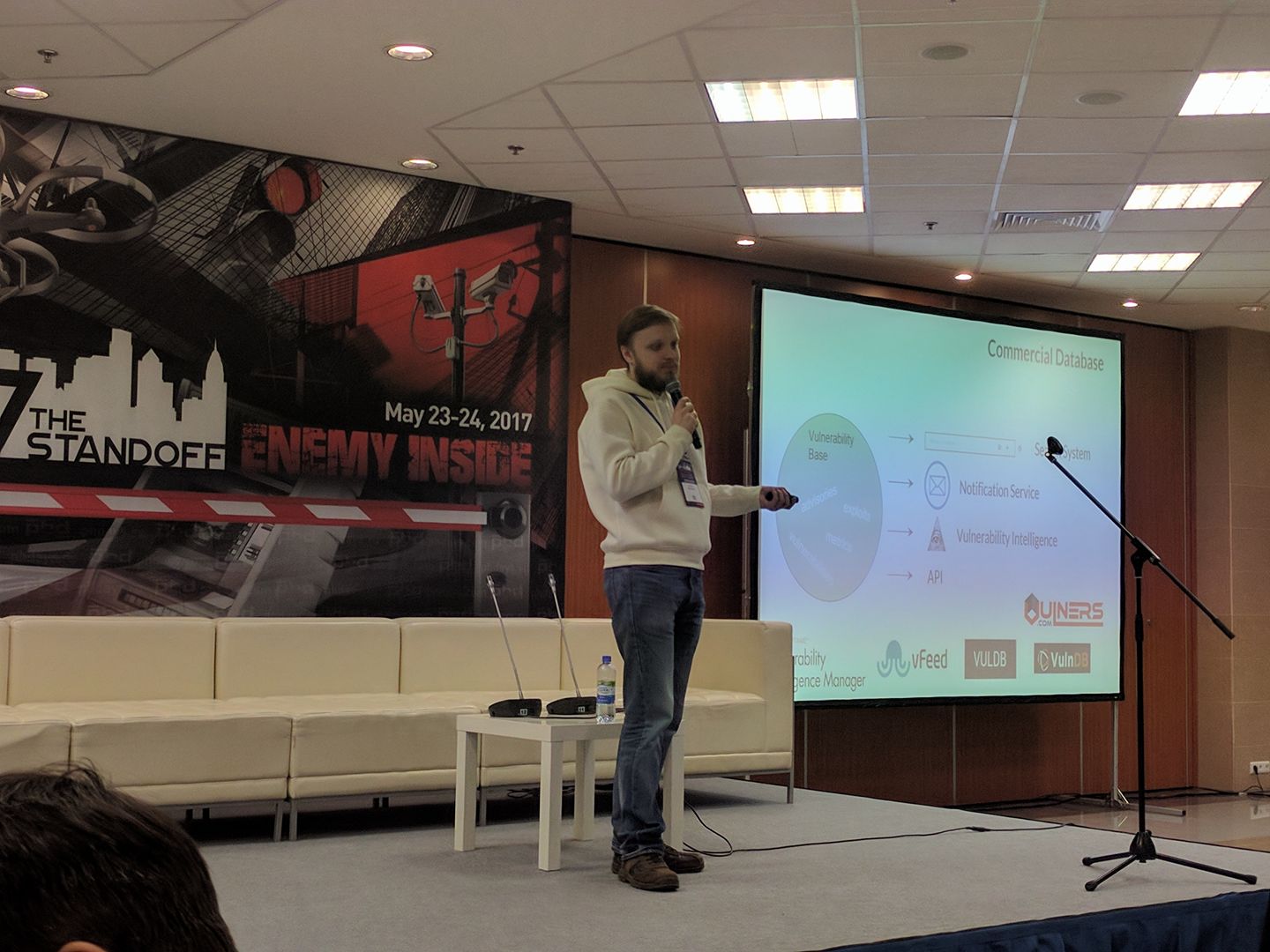
PHDays VII: To Vulnerability Database and beyond. Last Tuesday and Wednesday, May 23-24, I attended PHDays VII conference in Moscow. I was talking there about vulnerability databases and the evolution process of vulnerability assessment tools, as far as I understand it.
But first of all, a few words about the conference itself. I can tell that since the last year the event got even better. I’ve seen lot of new faces. Some people I didn’t know, but they knew me by my blog and accounts in social networks. What a strange, strange time we live in! I was very pleased to see and to talk with you all, guys! 🙂
PHDays is one of the few events that truly brings all Russian community of security professionals together. I’ve seen people I have studied with in university, colleagues from the all places where I have been worked, and nearly all researchers and security practitioners that I follow. Big thanks for the organizers, Positive Technologies, for such an amazing opportunity!
It is also a truly international event. You can see speakers from all over the world. And all information is available both in Russian and English. Almost all slides are in English. Three parallel streams of reports, workshops and panel discussions were dubbed by professional simultaneous interpreters, like it is a United Nations sessions or something, recorded and broadcast live by the team of operators and directors. Final result looks really great.
Video of my presentation:
I was talking too fast and used some expressions that was hard to translate. The translator, however, did an awesome job. He is my hero! 🙂 If you didn’t understand something on video, I made a transcript bellow.
A version without translation for Russian-speakers is here.
Slides:
Unfortunately gif animation is not working in the Slideshare viewer.
Today I would like to discuss vulnerability databases and how vulnerability assessment systems has been evolving. Prior to discussing vulnerability databases I need to say that any vulnerability is just a software error, a bug, that allowing hacker to do some cool things. Software developers and vendors post information about such vulnerabilities on their websites. And there are tons and tones of vendors, and websites, and software products, and vulnerabilities.
New vulnersBot for Telegram with advanced searches and subscriptions.Vulners.com team have recently presented a new version of vulnerability intelligence bot for Telegram messenger. Now you can search for vulnerabilities and other security content by talking with bot.
Searches
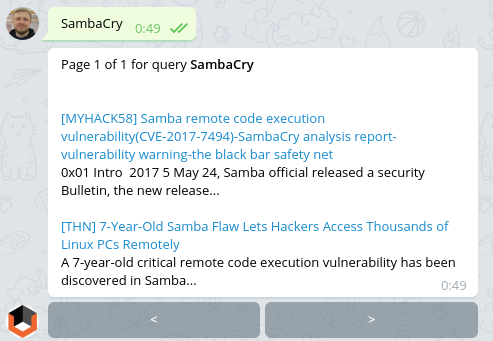
For example, I’ve heard about new critical vulnerability in Samba called SambaCry by analogy with famous WannaCry. Let’s see what Vulners knows about it.
Ok, I see it has id CVE-2017-7494. Do we have exploits related to this vulnerability? cvelist:CVE-2017-7494 AND bulletinFamily:”exploit”
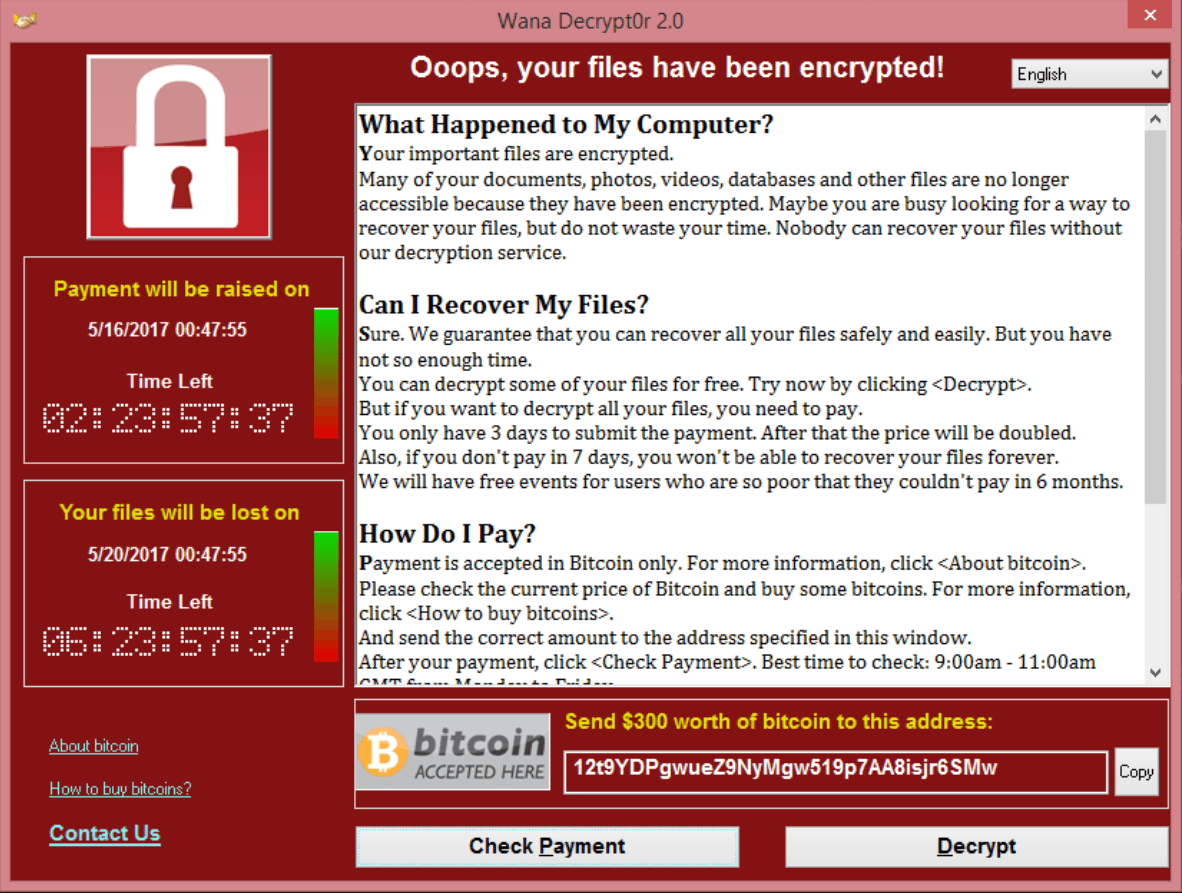
WannaCry about Vulnerability Management. Nearly all mainstream media wrote today about massive ransomware attacks around the world: 16 medical institutions in UK, strong rumours that huge companies in Russia, and even Russian Ministry of Internal Affairs suffered a damage.
At this moment Kaspersky recorded more than 45,000 attacks in 74 countries around the world, but mostly in Russia. During the attack WannaCry malware encrypts data with the extension “.WCRY” added to the filename – that’s why it is called this way.
What I like in this WannaCry story, that it’s actually all about Vulnerability Management.
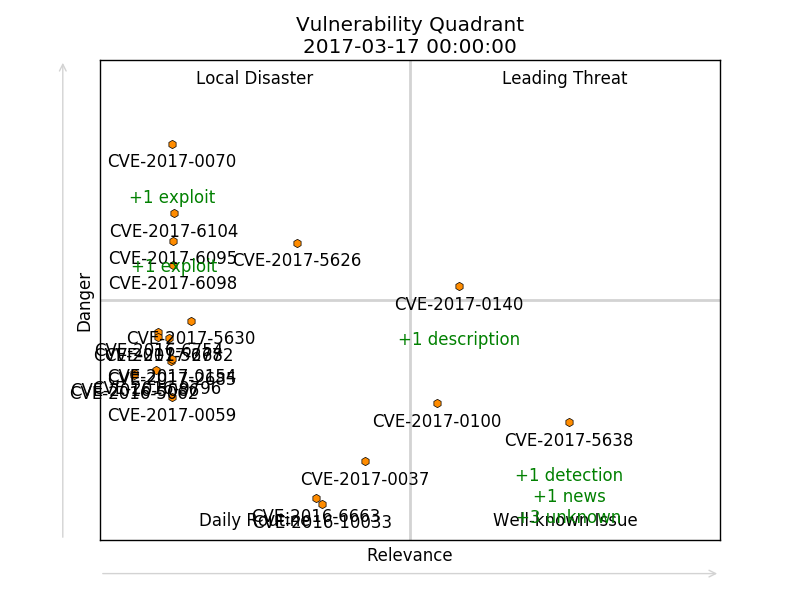
Vulnerability Quadrants. Hi everyone! Today I would like talk about software vulnerabilities. How to find really interesting vulnerabilities in the overall CVE flow. And how to do it automatically.
First of all, let’s talk why we may ever need to analyze software vulnerabilities? How people usually do their Vulnerability Management and Vulnerability Intelligence?
Some people have a Vulnerability scanner, scan infrastructure with it, patch founded vulnerabilities and think that this will be enough.
Some people pay attention to the vulnerabilities that are widely covered by media.
Some people use vulnerability databases and search for the most critical vulnerabilities by some criteria.
Each of these ways have some advantages and some disadvantages.
This is my personal blog. The opinions expressed here are my own and not of my employer. All product names, logos, and brands are property of their respective owners. All company, product and service names used here for identification purposes only. Use of these names, logos, and brands does not imply endorsement. You can freely use materials of this site, but it would be nice if you place a link on https://avleonov.com and send message about it at me@avleonov.com or contact me any other way.