Category Archives: Vulnerability Management

Use multiple vulnerability scanners in the name of good

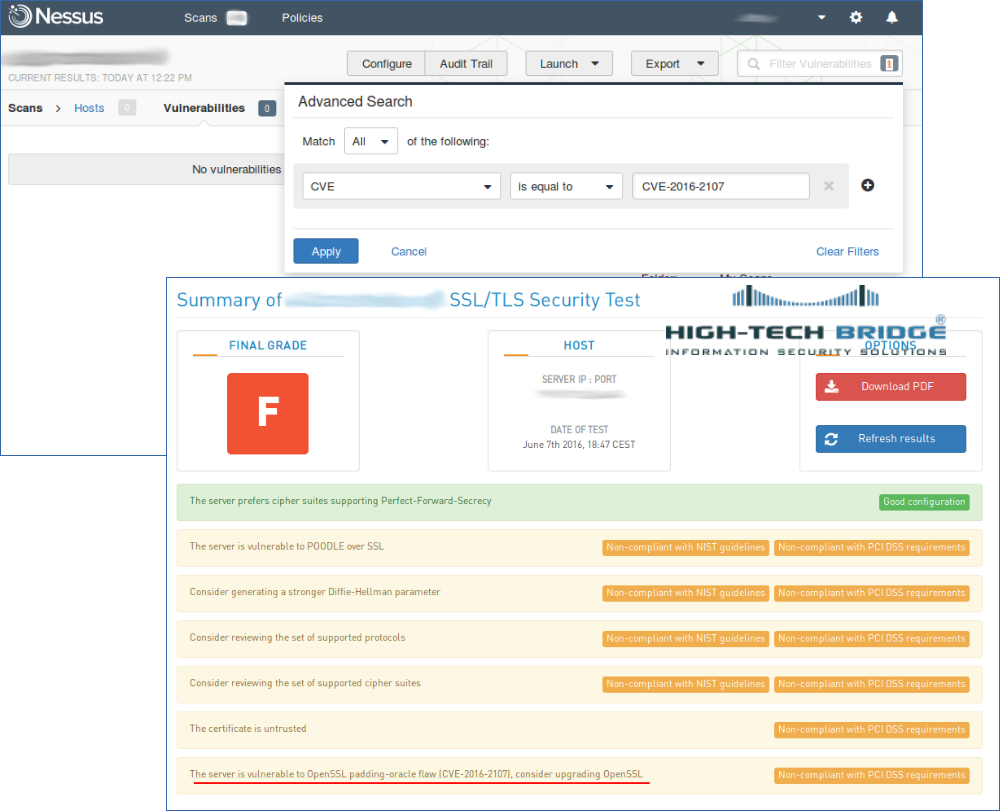
Use multiple vulnerability scanners in the name of good. About a month ago I wrote a post “When a free scanning service detects vulnerabilities better”. This post was about OpenSSL CVE-2016-2107 vulnerability. A free High-Tech Bridge scanning service was detecting this vulnerability, but commercial Tenable Nessus/SecurityCenter not.

We communicated with a Tenable customer support and it brought some results. Now you can find a new plugin #91572 “OpenSSL AES-NI Padding Oracle MitM Information Disclosure” in Nessus plugin search (by CVE id CVE-2016-2107).

New CVE-2016-2107 Nessus plugin

I have tested a vulnerable server with High-Tech Bridge service:

HTBridge detects vulnerability

Then scanned it with Nessus. Note, that you can select only one plugin “General -> 91572” in your Nessus scan policy to speed up the scanning. This plugin does not have any dependencies.

Nessus detects vulnerability

As you can see, now the Nessus detects this vulnerability correctly.

The screenshot shows that it took more than a month, but after all this detection plugin was realized. And I hope my support tickets also played some role.
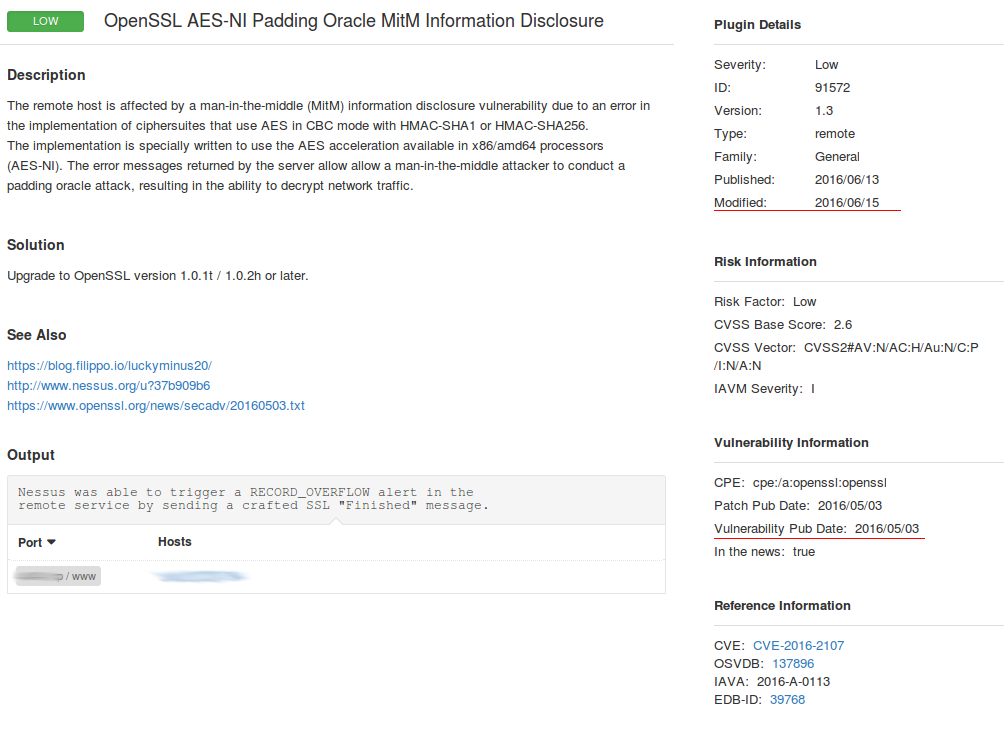
Nessus plugin

Therefore, I recommend, if it is possible, to validate your vulnerability scan results with additional scanners/services and REPORT your vendor the differences. It will help to achieve a better security level for your infrastructure and will make the your vendor’s products better.
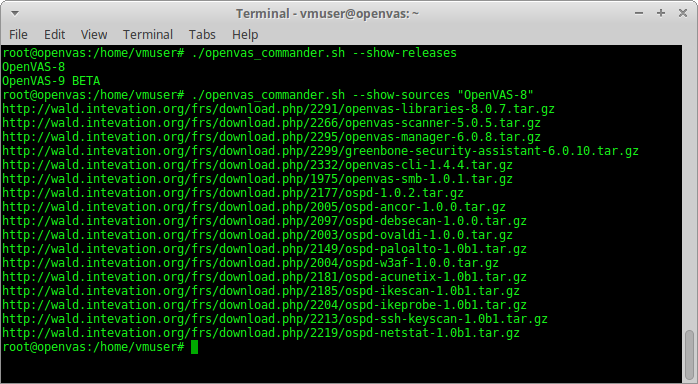
openvas_commander for OpenVAS installation and management

openvas_commander for OpenVAS installation and management. upd. 29.09.2018 Unfortunately, the script does not work after Greenbone moved the sources from their internal repository to GitHub. It’s necessary to edit the script. Stay tuned.

If you will search articles about OpenVAS most of them will be about installation: installation in Kali (in 3 lines) and various bash scripts for installing it from the sources.

OpenVAS commander

Pros of using installation the sources:

  • It is the the fastest way to obtain current stable and beta version OpenVAS for every day use and testing.
  • Security reasons. As soon as there are no official OpenVAS packages you need to rely on some individuals who provide packages for popular distributions and in some cases it is not the option.
  • Some scripting for updating OpenVAS database and managing OpenVAS services will be required anyway. Starting the OpenVAS is still a quest: you need to check the statuses of database, start the services in a right order.
  • This is the first step towards the full automation of OpenVAS scanning and testing.

Cons:

  • You will need to install lot’s of additional packages to build OpenVAS binaries. More than 2Gb of files should be downloaded. It may take hours to install configure all this packages on a slow machine (especially all those TeX packages).
  • Building all packages also takes time. It takes as much time as knowledge base update.

I wrote a small bash script to simplify OpenVAS installation and management of  – openvas_commander.sh. Tested on Debian 8.5, should work on Ubuntu and Kali.

Upd 10.04.2017 Read how to use this script to install OpenVAS 9 on Debian in the post “Installing OpenVAS 9 from the sources“.

wget https://raw.githubusercontent.com/leonov-av/openvas-commander/master/openvas_commander.sh
chmod +x openvas_commander.sh

What are its advantages over other similar scripts?

Continue reading

Choosing the right time for Nessus update

Choosing the right time for Nessus update. Nessus update may be required for bugs and vulnerabilities fixing, and to enable some new features as well. While using of an old scanning engine or plugin feed may lead to incorrect scan results.

However, during the update process of Nessus engine, you need to stop it. What about the running and scheduled scanning tasks?

Switch off Nessus

Someone might think that it is possible to put running Nessus scan task on pause and launch it when update process is finished. Well, not really. All paused scan tasks will be marked as “aborted” after updating.

Even if Tenable will ever fix this, delayed scans may still be incorrect. Different targets should be scanned at the right time. It’s not a good idea to scan windows desktops after the end of the working day, when they will be probably turned off.
Continue reading

When a free scanning service detects vulnerabilities better

When a free scanning service detects vulnerabilities better. We all want to have a reliable and efficient Vulnerability Scanner. This scanner should be able to find any vulnerabilities immediately, as soon as the information about them is published. And, to be honest, no one wants to research how the scanner do it. Really. It’s not our job. We purchased the product, we trust the vendor and if this product does not work as we would like, it is a vendor’s problem. Is that right?

Not really. If we do not properly recognize the condition of our infrastructure and do not properly assess the risks, because of this vendor’s faults, this would be our problem. It’s relatively easily to find out that some detected vulnerabilities from scanning report are false positives, what if scanner didn’t find an existing vulnerability? How would you even know this happened?

That’s why we still have to understand how the scanners work, to watch the watcher.

A recent example. CVE-2016-2107: OpenSSL AES CBC cipher information disclosure.

upd. For this vulnerability Tenable released addition detection plugin: “Use multiple vulnerability scanners in the name of good”.

HT Bridge detects CVE-2016-2107 vulnerability, Nessus not

This vulnerability may be detected by free vulnerability scanning services and practically could not detected by Nessus via unauthenticated scanning. You can see on the screenshots how we have scanned the same host with Nessus and free service by High-Tech Bridge. And Nessus did not detect CVE-2016-2107.

Continue reading

Retrieving scan results through Nessus API

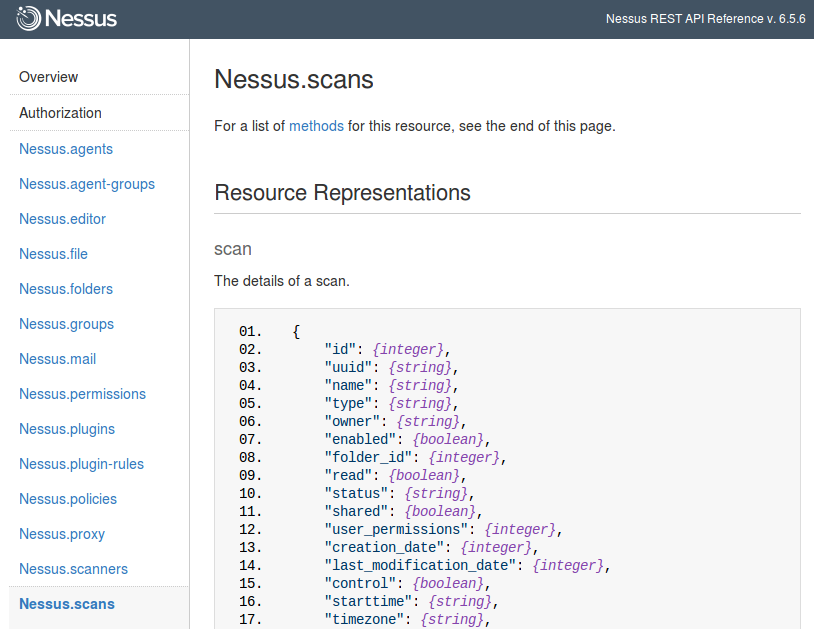
Retrieving scan results through Nessus API. In this first article about Nessus API I want to describe process of getting scan results from Nessus.

Of course, it’s also great to create and run scans or even create policies via API. But to be honest, in practice, you may need this functionality rarely. And it’s easier to do it manually in GUI. On the other hand, sometimes it very efficient to create automatically some specific scan task for specific group of hosts using existing (inventory) scan results. But we will talk about this topic next time (Upd. I wrote post about scan creation “Nessus API for hosts scanning“).

Nessus API

Now, imagine that we have configured regular Nessus scans. And we want to get this scan results on a regular basis to make some analysis and maybe create some tickets in Jira.

As usual, I will use curl for all examples, because it is easy to read and easy to test in any Linux terminal.

Starting from Nessus v.6 the API manual is built in GUI: https://<scanner_ip>:8834/api#
Continue reading

Making vulnerable OpenSSL scanning target

Making vulnerable OpenSSL scanning target. OpenSSL vulnerabilities appear regularly. Sometimes it is difficult to find out whether your vulnerability scanner can effectively detect specific vulnerability.

In fact, the only way to find this out is to scan a vulnerable host. Without this knowledge, it is dangerous to start a huge network scanning. You never know, the scanner did not find a vulnerability, because the infrastructure is safe or it wasn’t able to do it.

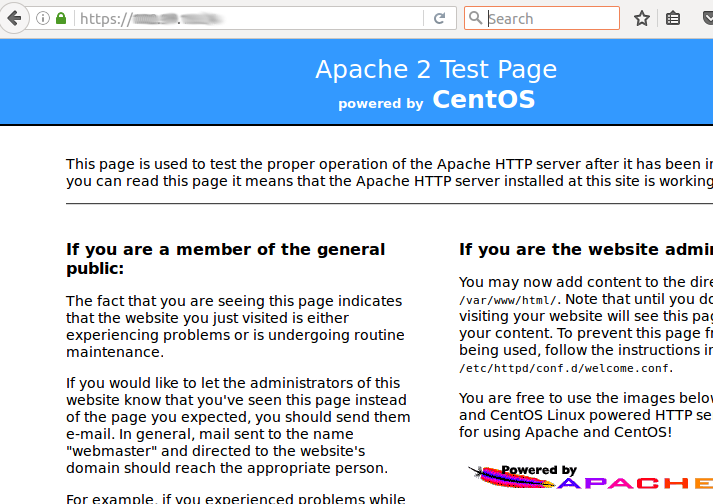
Let’s make the simplest stand: CentOS host with Apache and a self-signed OpenSSL certificate.

Vulnerable OpenSSL stand

Continue reading

Tenable Nessus: registration, installation, scanning and reporting

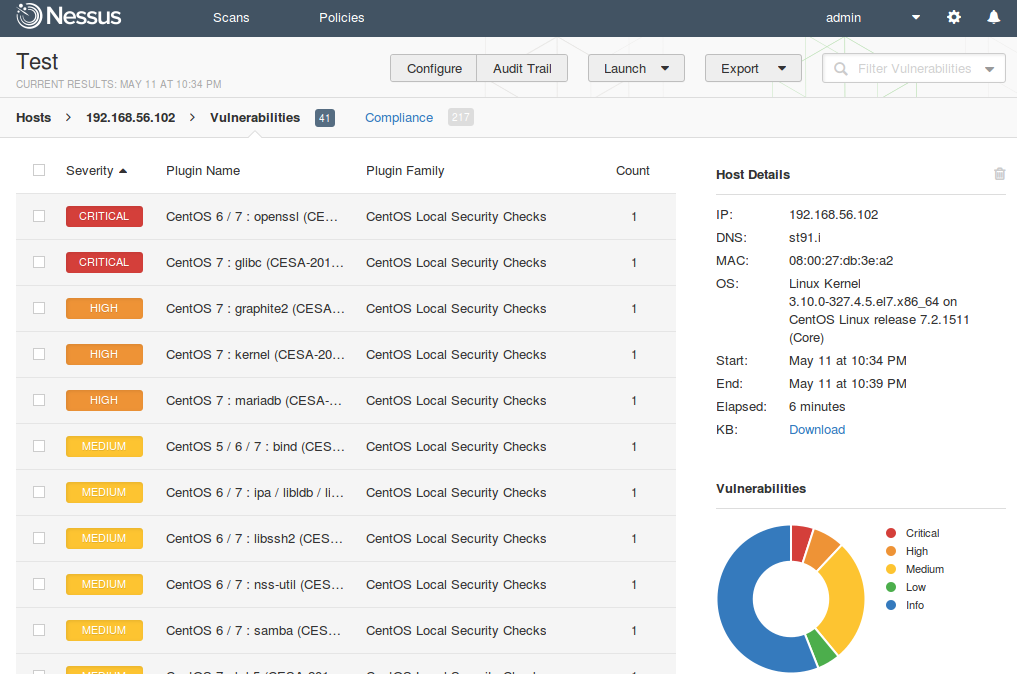
Tenable Nessus: registration, installation, scanning and reporting. It’s a bit strange that I wrote in this blog about some relatively exotic vulnerability management solutions and not about the one I use every day. It is, of course, Nessus. The legend of vulnerability scanners. It would be fair to say that Nessus has become a synonym for vulnerability scan itself as Xerox for photocopy. First version of Nessus was developed by Renaud Deraison in 1998 as a free and open-source product. In October 2005 the license was changed to proprietary. The last version of GPL source codes became the base for the great open source vulnerability scanner – OpenVAS (btw, see my post “openvas_commander for OpenVAS installation and management”).

Nessus Vulnerability Scan Results

I am glad that Tenable still keeps Nessus mostly in UNIX-way. Nessus is a vulnerability scanner and makes one thing good – finds vulnerabilities on network hosts. If you need dashboards, advanced user management, advanced reporting capabilities, etc. use Tenable Security Center that works above the Tenable separate products: Nessus, Passive Vulnerability Scanner (PVS) and Log Correlation Engine (LCE).

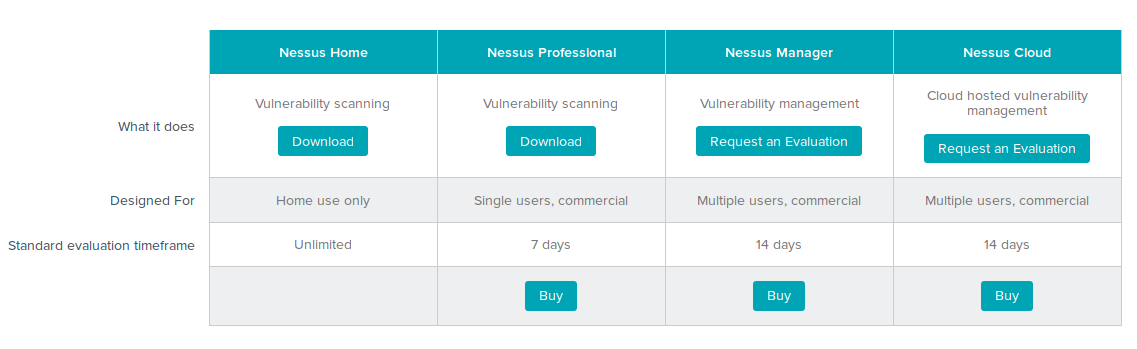
nessus download page

Continue reading