
Author Archives: Alexander Leonov

About Alexander Leonov

Hi! My name is Alexander and I am a Vulnerability Management specialist. You can read more about me here. Currently, the best way to follow me is my Telegram channel @avleonovcom. I update it more often than this site. If you haven't used Telegram yet, give it a try. It's great. You can discuss my posts or ask questions at @avleonovchat. А всех русскоязычных я приглашаю в ещё один телеграмм канал @avleonovrus, первым делом теперь пишу туда.

The first Zbrunk dashboard and other news

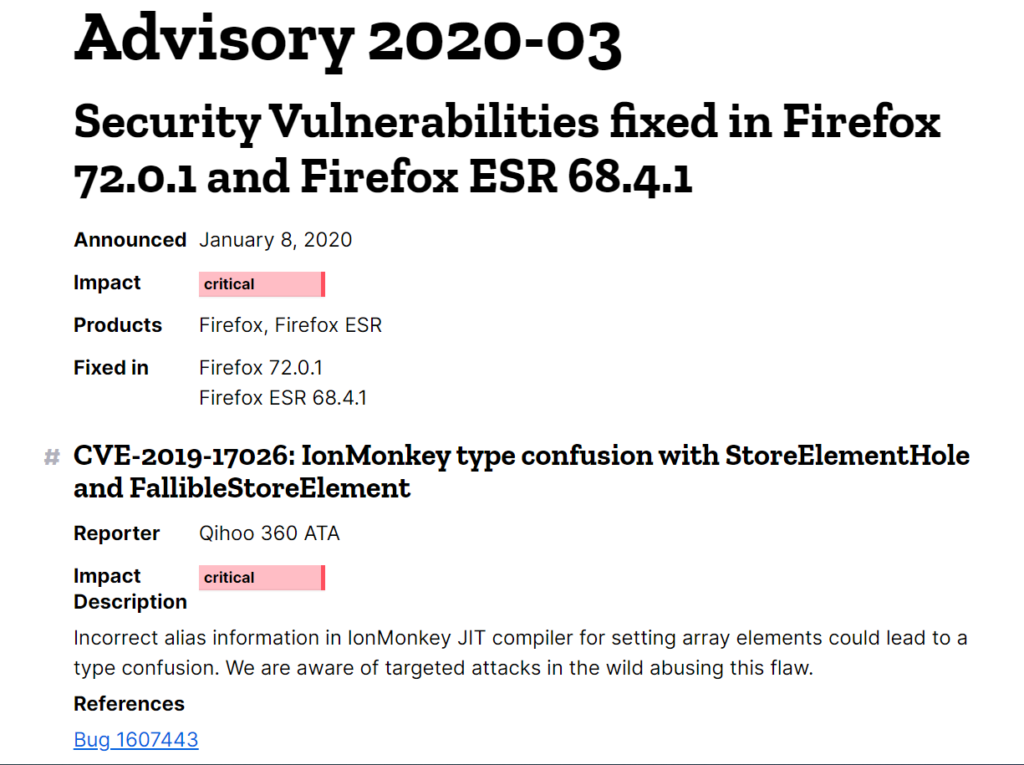
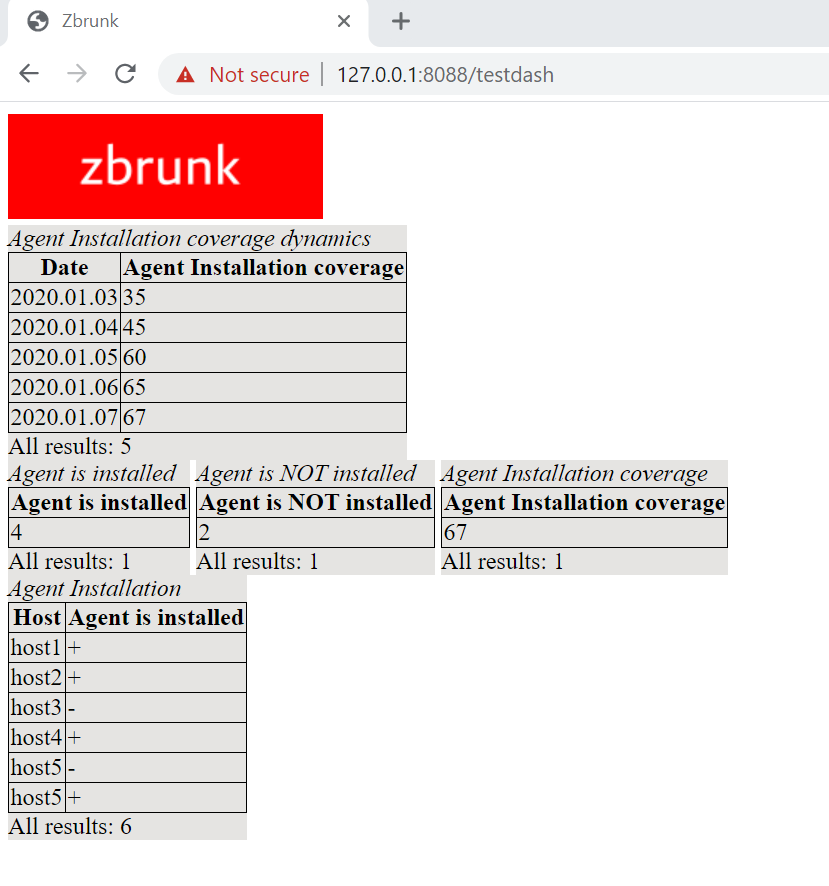
The first Zbrunk dashboard and other news. The long New Year holiday season in Russia was not in vain. I had time to work on Zbrunk. 😉 As you can see, I made my first dashboard and added other features.

The first Zbrunk dashboard

No more timestamps in code

I added functions to get Unix timestamps from lines in human-readable time format, e.g. “2019.12.10 13:00:00”.

Instead of a date, you can use words:

  • Today
  • Yesterday
  • N days ago
  • Beginning of Time
  • End of Time

API requests will continue to support only Unix timestamps.

Continue reading

CISO Forum 2019: Vulnerability Management, Red Teaming and a career in Information Security abroad

CISO Forum 2019: Vulnerability Management, Red Teaming and a career in Information Security abroad. Today, at the very end of 2019, I want to write about the event I attended in April. Sorry for the delay ?. This doesn’t mean that CISO Forum 2019 was not Interesting or I had nothing to share. Not at all! In fact, it was the most inspiring event of the year, and I wanted to make a truly monumental report about it. And I began to write it, but, as it usually happens, more urgent tasks and topics appeared, so the work eventually stopped until now.

The first discussion was about Offensive Security and Red Teams in particular

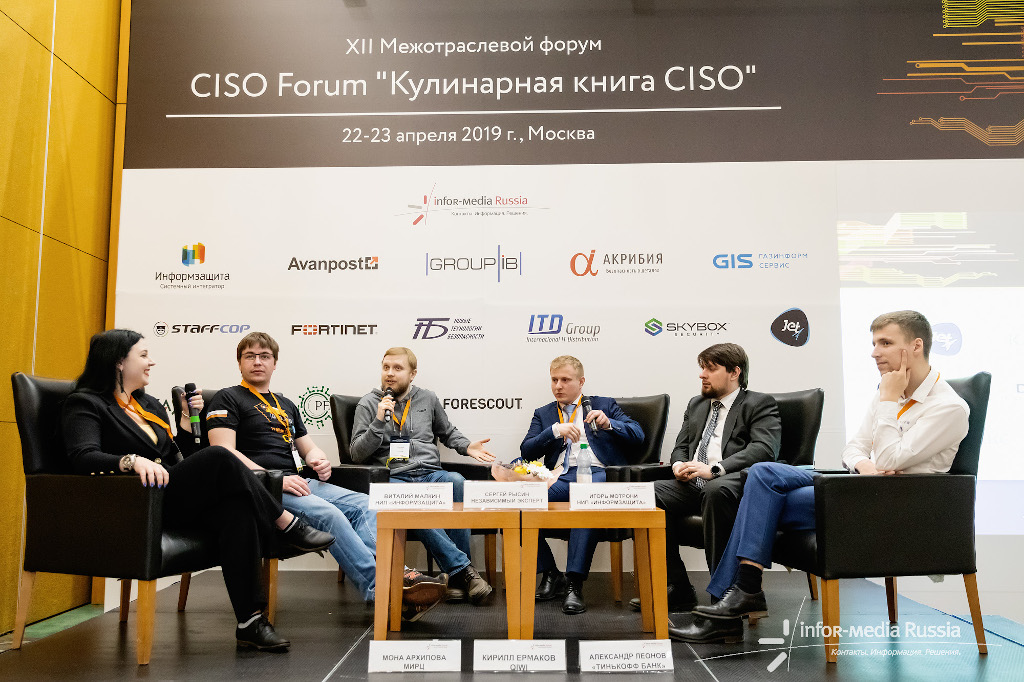
At CISO Forum 2019 I participated in two panel discussions. The first one was about Offensive Security and Red Teams in particular.

Continue reading

Detectify Asset Inventory and Monitoring

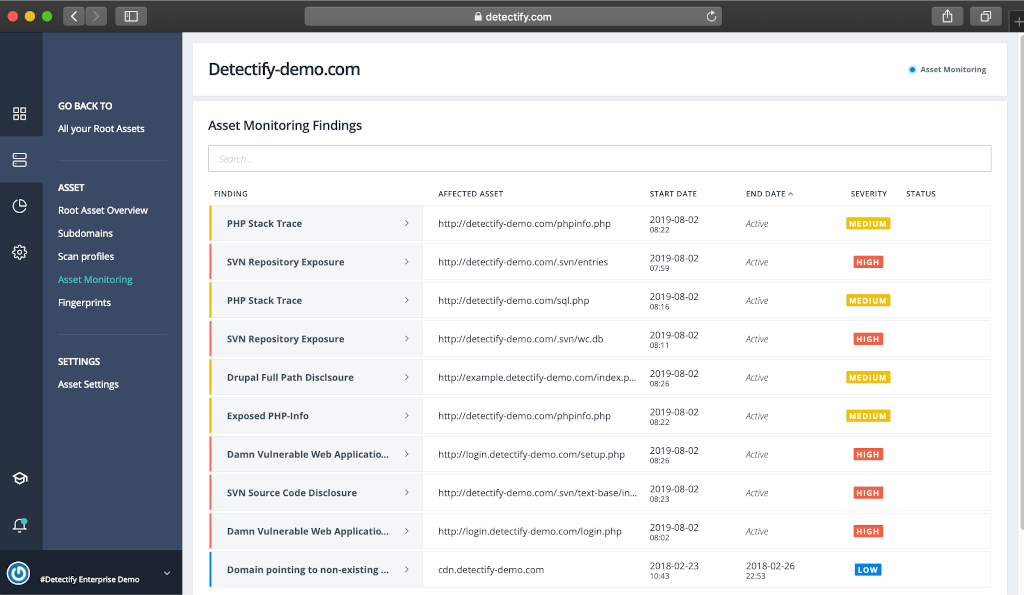
Detectify Asset Inventory and Monitoring. Continuing the topic about perimeter services. As I mentioned earlier, I don’t think that the external perimeter services should be considered as a fully functional replacement for custom Vulnerability Management processes. I would rather see their results as an additional feed showing the problems your current VM process has. Recently I tested the Detectify’s Asset Inventory (Monitoring) solution, which provides such feed by automatically detecting the issues with your second, third (and more) leveled domains and related web services.

Detectify Asset Inventory screenshot from the official blog

Let say your organization has several second level web domains, over9000 third (and more) level domains, and you even don’t know for what services they are used. This is a normal situation for a large organization. So, you simply add yourorganization.com to Detectify, activate Asset Monitoring, and Detectify automatically discovers third (and more) level domains and related technologies: web services, CMS, JavaScript frameworks and libraries. “It provides thousands of fingerprints and hundreds of tests for stateless vulnerabilities such as code repository exposure for SVN or Git.” This is called fingerprinting.

Continue reading

Vulnerability Management Product Comparisons (October 2019)

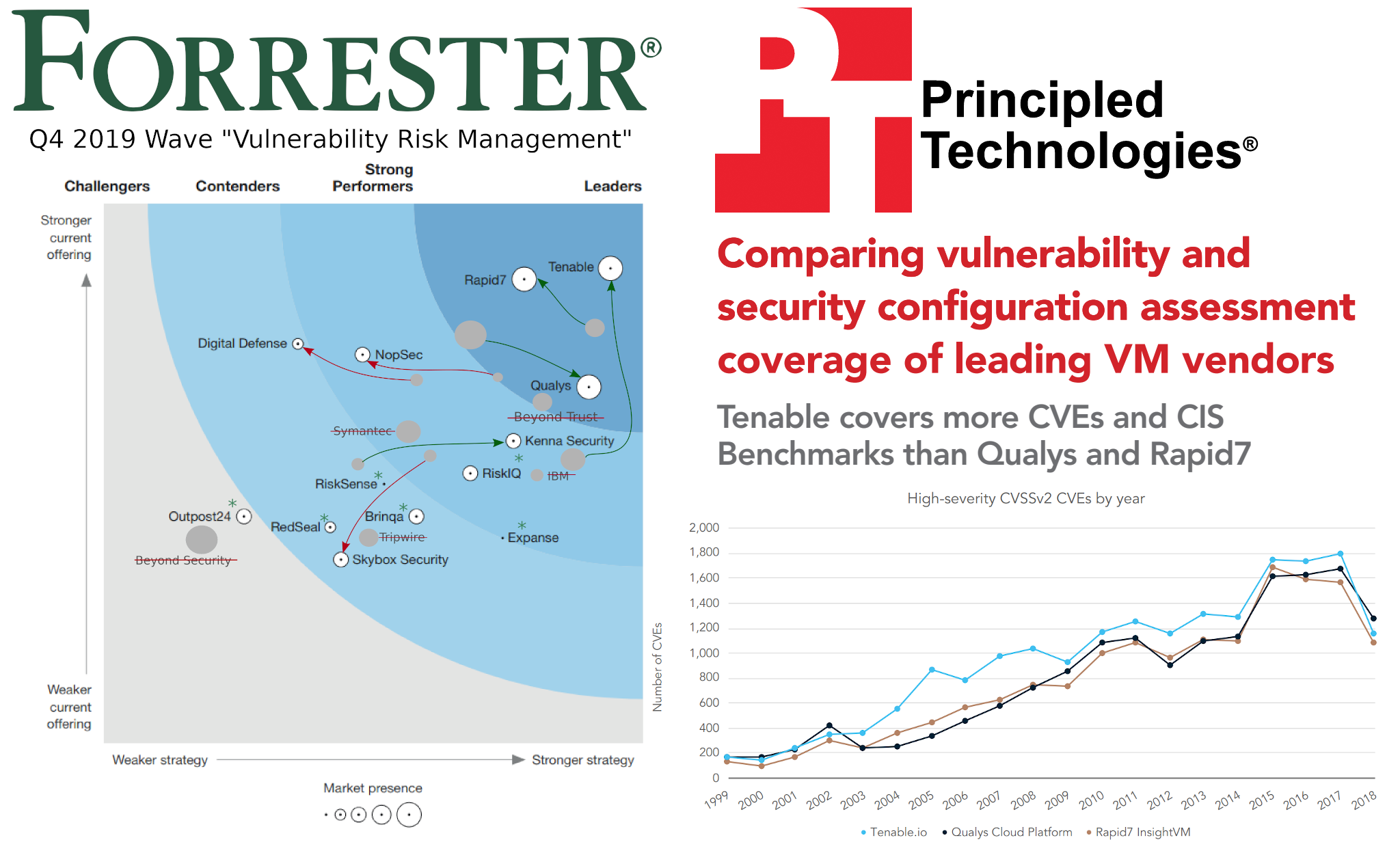
Vulnerability Management Product Comparisons (October 2019). Here I combined two posts [1.2] from my telegram channel about comparisons of Vulnerability Management products that were recently published in October 2019. One of them was more marketing, published by Forrester, the other was more technical and published by Principled Technologies.

Vulnerability Management Product Comparisons (October 2019)

I had some questions for both of them. It’s also great that the Forrester report made Qualys, Tenable and Rapid7 leaders and Principled Technologies reviewed the Knowledge Bases of the same three vendors.

Let’s start with Forrester.

Continue reading

Zbrunk search launcher and event types statistics

Zbrunk search launcher and event types statistics. I also changed the priorities. Now I think it would be better not to integrate with Grafana, but to create own dashboards and GUI. And to begin with, I created a simple interface for Searching (and Deleting) events.

upd. 16.12.2019

A small update on Zbrunk. First of all, I created a new API call that returns a list of object types in the database and number of this types for a certain period of time. Without it, debugging was rather inconvenient.

$ curl -k https://127.0.0.1:8088/services/searcher -d '{"get_types":"True", "search": {"time":{"from":"1471613579","to":"1471613580"}}, "output_mode": "json", "max_count":"10000000", "auth_token":"8DEE8A67-7700-4BA7-8CBF-4B917CE23512"}'

{"results": ["test_event"], "results_count": 1, "all_results_count": 0, "text": "Types found", "code": 0}

I also added some examples of working with Zbrunk http API from python3. Rewriting them from pure curl was not so trivial. ? Flask is rather moody, so I had to abandon the idea of making requests exactly the same as in Splunk. ? But the differences are cosmetic. It is now assumed that events will be passed to collector in valid json (not as a file with json events separated by ‘\n’). I also send all params of requests as json, not data. But for the compatibility reasons previous curl examples will also work. ?

CentOS 8 with IceWM Desktop Environment

CentOS 8 with IceWM Desktop Environment. Do you need CentOS 8 with IceWM as desktop Operating System? Most likely not. Especially if you want it to work smoothly without any worries and troubles. However, if you enjoy playing with new desktop environments, you might find it fun.

CentOS 8 with IceWM desktop environment

My reasons were as follows:

  1. I wanted to use the same Linux distribution for server and desktop. Just to minimize possible surprises during the deployment.
  2. I wanted to know what is going on in the RPM-based part of Linux world. The only way to achieve this is to use such distribution every day.
  3. I was tired of problems with the Virtual Box guest additions in CentOS 7 (yes , I run it all as a virtual machine), especially after the 3.10 kernel updates. It was time to move on.
  4. I didn’t want to use Gnome 3, because it’s slow and ugly (however it’s fully functional!). And there were no other DEs in CentOS 8 repositories at that time.

So, I tried CentOS 8 with IceWM (installed it from source) and it worked. IceWM is small, very fast, ascetic, and in some ways quite intuitive. There were some problems with the clipboard (in xTerm and with VBox shared clipboard) and with language switching, but I figured it out and I think that I would probably continue to use it. Below are some notes on how I installed it and resolved the issues.

Continue reading

Barapass console Password Manager

Barapass console Password Manager. I decided to publish my simple console Password Manager. I called it barapass (github). I’ve been using It for quite some time in Linux and in Windows (in WSL). Probably it will also work natively in Windows and MacOS with minimal fixes, but I haven’t tried it yet.

Barapass logo

Why do people use password managers?

Well, with password manager it’s possible to avoid remembering passwords and make them arbitrarily complex and long. And no one will be able to brute force them. Of course, you can simply store passwords in text files, but password managers are better than this because:

  • no one will see your password over your shoulder;
  • if an attacker gains access to the files on your host, it won’t possible to read your passwords from the encrypted file or storage (well, ideally);
  • it’s easier to search for objects in the password manager and copy values from it.

I wanted something as simple as editing a text file with the key-value content. And I wanted it to be stored in a secure manner, and security could be easily checked, “simple and stupid”.

Continue reading