
Author Archives: Alexander Leonov

About Alexander Leonov

Hi! My name is Alexander and I am a Vulnerability Management specialist. You can read more about me here. Currently, the best way to follow me is my Telegram channel @avleonovcom. I update it more often than this site. If you haven't used Telegram yet, give it a try. It's great. You can discuss my posts or ask questions at @avleonovchat. А всех русскоязычных я приглашаю в ещё один телеграмм канал @avleonovrus, первым делом теперь пишу туда.

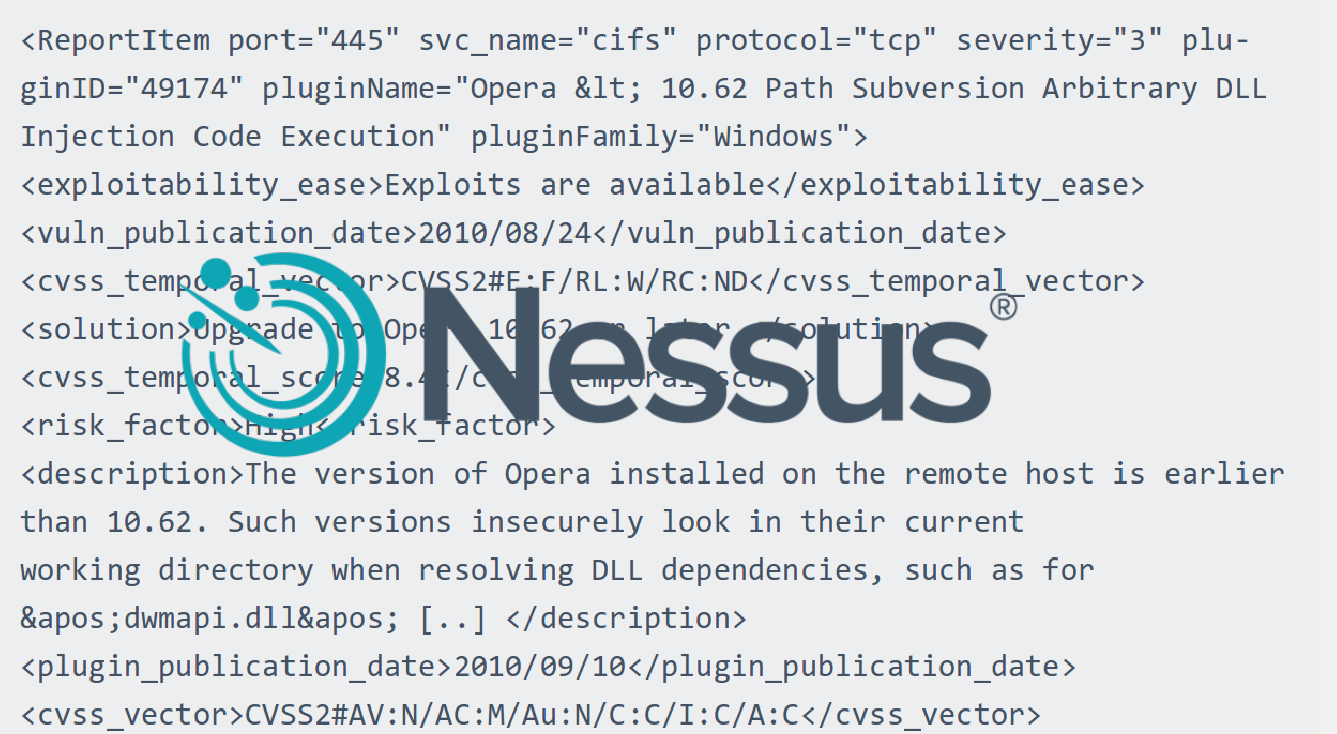
Nessus v2 xml report format

Nessus v2 xml report format. Knowing the structure of Nessus v2 (xml) report may be useful for those who want to analyze scan results in SIEM solution or with own scripts (in this case see also “Retrieving scan results through Nessus API” and “VM Remediation using external task tracking systems“).

Upd. Read this post about practical processing of such reports: “Parsing Nessus v2 XML reports with python

nessus_v2_report_logo

There is a good official Tenable manual: Nessus v2 File Format. If you want to get a detailed description of this format i recommend you to read it.
nessus v2 xml format

Here I would like to share my impressions, explain how to retrieve useful information from the scan report easily and note some dangers during the processing that may lead to incorrect prioritisation of vulnerabilities.

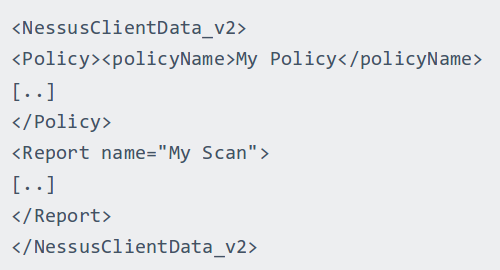
Nessus report contains information about the actual scanning results (Report) and the scan settings (Policy). Sometimes it is very useful to look at a scanning policy for debugging. But in most cases we just need proper information about detected vulnerabilities. Therefore, we examine Report section.
Nessus Client Data

Continue reading

Vulnerability scanners: a view from the vendor and end user side

Vulnerability scanners: a view from the vendor and end user side. Original article was published in Information Security Magazine #2, 2016 (in Russian)

Vulnerability scanner is a computer program or hardware appliance designed to detect security problems on hosts in computer network. What kind of problems? Well, problems that may occur if some critical security updates were not installed on time or the system was not configured securely. In practice, this situation often occurs and it makes hacking the systems easy even for inexperienced attacker.

If it is all about checking, maybe it’s possible to do it manually? Yes, sure, but it requires a lot of specific expertise, accuracy and time. That’s why vulnerability scanners, which can automate network audit, have become standard tools in the arsenal of information security experts.

I worked for a long time in the development department of well-known vulnerability scanning vendor and was making a lot of competitive analysis as well. At current time, I use vulnerability scanners as an end user. So, in this article I will try to look at the main problems of this class of products from the vendor and from the end user side.

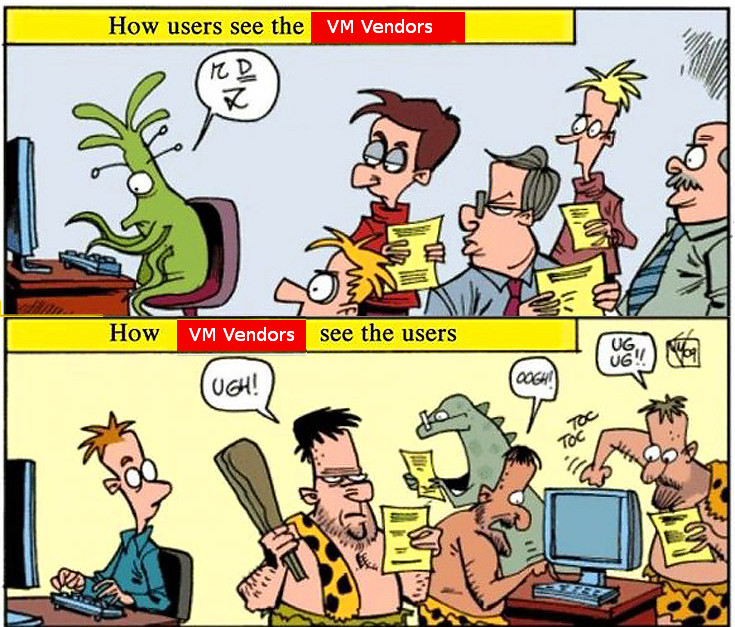
how-users-see-the-vm-vendors-how-vm-vendors-see-the-users

How vulnerability scanner detects vulnerabilities?

Detection methods are usually well known and uncomplicated: vulnerability scanner somehow detects software version installed on a host. If version is less then secure version of this software (known from the public bulletin) – vulnerability exists and the software should be updated. If not – everything is ok. As a rule, vulnerability scanners try to guess installed versions by opened ports and service banners, or scanner may just have a full remote access to the host and able to perform all necessary commands (it is the most accurate and effective way).
Continue reading

Vulners – Google for hacker. How the best vulnerability search engine works and how to use it

Vulners – Google for hacker. How the best vulnerability search engine works and how to use it. Original article was published in Xakep Magazine #06/2016 (in Russian)

vulners.com logo

The common task. Уou need to find all information about some vulnerability: how critical the bug is, whether there is a public exploit, which vendors already released patches, which vulnerability scanner can detect this bug in the system. Previously, you had to search it all manually in dozens of sources (CVEDetails, SecurityFocus, Rapid7 DB, Exploit-DB, CVEs from MITRE / NIST, vendor newsletters, etc.) and analyze the collected data. Today, this routine can be (and should be!) automated with specialized services. One of these services – Vulners.com, the coolest search engine for bugs. And what is the most important – it’s free and has an open API. Let’s see how it can be useful for us.

What is it?

Vulners is a very large constantly updating database of Information Security content. This site lets you search for vulnerabilities, exploits, patches, bug bounty programs the same way a web search engine lets you search for websites. Vulners aggregates and presents in convenient form seven major types of data:

  • Popular vulnerability databases, containing general descriptions of vulnerabilities and links. For example, well-known NVD CVEs of MITRE US agency and NIST Institute. In addition to this, Vulners supports vulnerability descriptions from various research centers and response teams: Vulnerability Lab, XSSed, CERT, ICS, Zero Day Initiative, Positive Technologies, ERPScan.
  • Vendor’s security bulletins. This bug-reports are published by software vendors and contain information about vulnerabilities in their own products. At current moment Vulners supports various Linux distributions (Red Hat, CentOS, Oracle Linux, Arch Linux, Debian, Ubuntu, SUSE), FreeBSD, network devices (F5 Networks, Cisco, Huawei, Palo Alto Networks), popular and critical software (OpenSSL, Samba, nginx, Mozilla, Opera), including CMS (WordPress, Drupal).
  • Exploits from Exploit-DB, Metasploit and 0day.today. Exploits are parsed and stored in full-text form and you can read the sources in a convenient text editor.
  • Nessus plugins for vulnerability detection. It makes easy to find out whether a particular vulnerability can be detected using this popular network scanner. Why is it important? Read in my article “When a free scanning service detects vulnerabilities better“.
  • Bug disclousers for bug bounty programs. At current moment Vulners supports HackerOne and Open Bug Bounty.
  • Potential vulnerabilities of mobile applications and CMS. It is possible in cooperation with the static application security testing (SAST) vendors Hackapp and InfoWatch APPERCUT.
  • Posts from hacking resources. Vulners collects Threatpost and rdot.org publications, which often cover vulnerability related topics.

All this information is handled, cataloged, structured and is always available for the search.

Continue reading

PCI DSS 3.2 and Vulnerability Intelligence

PCI DSS 3.2 and Vulnerability Intelligence. Establish a process to identify security vulnerabilities, using reputable outside sources for security vulnerability information… It’s one of the requirements of PCI DSS v3.2 (The Payment Card Industry Data Security Standard). It’s not about regular scans, as you could think. It is actually about monitoring web-sites and mailing lists where information about vulnerabilities is published. It’s very similar to what Vulnerability Intelligence systems have to do, isn’t it? A great opportunity for me to speculate about this class of products and deal with related PCI requirement. In this post I will mention following solutions: Flexera VIM, Rapid7 Nexpose NOW, Vulners.com and Qualys ThreatPROTECT.

PCI DSS 3.2 and Vulnerability Intelligence

Term “Vulnerability Intelligence” is almost exclusively used by only one security company – Secunia, or how it is called now Flexera Software. But I like this term more than “Threat Intelligence”, a term that many VM vendor use, but historically it is more about traffic and network attacks. Let’s see how Vulnerability Intelligence solutions was developed, and how they can be used (including requirements of PCI Compliance).

Continue reading

Use multiple vulnerability scanners in the name of good

Use multiple vulnerability scanners in the name of good. About a month ago I wrote a post “When a free scanning service detects vulnerabilities better”. This post was about OpenSSL CVE-2016-2107 vulnerability. A free High-Tech Bridge scanning service was detecting this vulnerability, but commercial Tenable Nessus/SecurityCenter not.

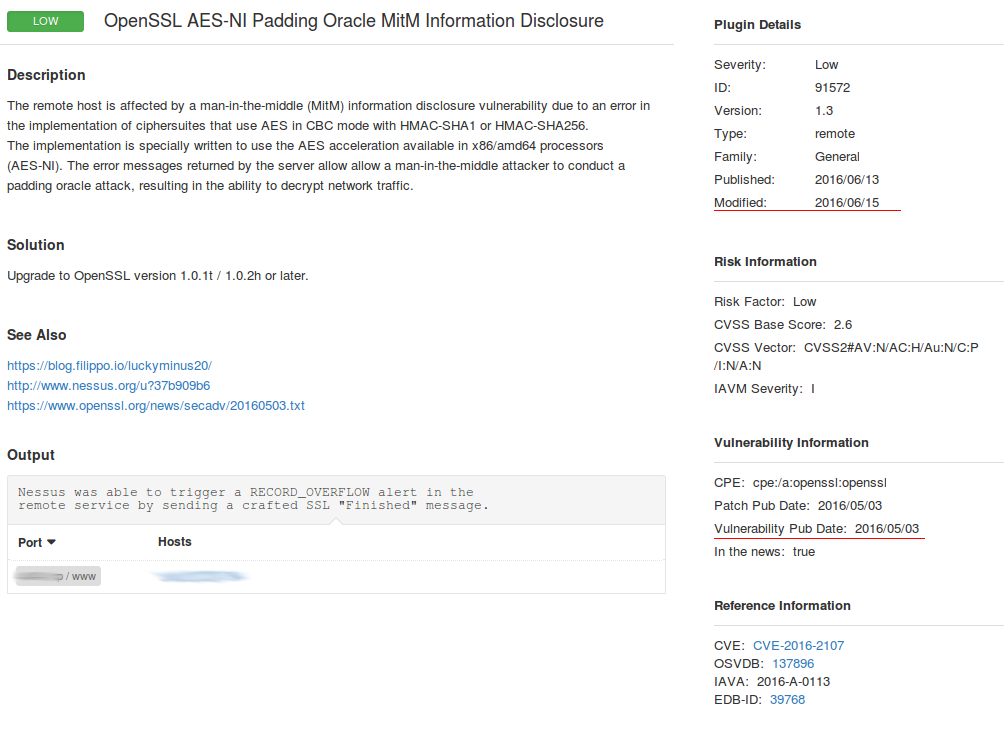
We communicated with a Tenable customer support and it brought some results. Now you can find a new plugin #91572 “OpenSSL AES-NI Padding Oracle MitM Information Disclosure” in Nessus plugin search (by CVE id CVE-2016-2107).

New CVE-2016-2107 Nessus plugin

I have tested a vulnerable server with High-Tech Bridge service:

HTBridge detects vulnerability

Then scanned it with Nessus. Note, that you can select only one plugin “General -> 91572” in your Nessus scan policy to speed up the scanning. This plugin does not have any dependencies.

Nessus detects vulnerability

As you can see, now the Nessus detects this vulnerability correctly.

The screenshot shows that it took more than a month, but after all this detection plugin was realized. And I hope my support tickets also played some role.

Nessus plugin

Therefore, I recommend, if it is possible, to validate your vulnerability scan results with additional scanners/services and REPORT your vendor the differences. It will help to achieve a better security level for your infrastructure and will make the your vendor’s products better.

openvas_commander for OpenVAS installation and management

openvas_commander for OpenVAS installation and management. upd. 29.09.2018 Unfortunately, the script does not work after Greenbone moved the sources from their internal repository to GitHub. It’s necessary to edit the script. Stay tuned.

If you will search articles about OpenVAS most of them will be about installation: installation in Kali (in 3 lines) and various bash scripts for installing it from the sources.

OpenVAS commander

Pros of using installation the sources:

  • It is the the fastest way to obtain current stable and beta version OpenVAS for every day use and testing.
  • Security reasons. As soon as there are no official OpenVAS packages you need to rely on some individuals who provide packages for popular distributions and in some cases it is not the option.
  • Some scripting for updating OpenVAS database and managing OpenVAS services will be required anyway. Starting the OpenVAS is still a quest: you need to check the statuses of database, start the services in a right order.
  • This is the first step towards the full automation of OpenVAS scanning and testing.

Cons:

  • You will need to install lot’s of additional packages to build OpenVAS binaries. More than 2Gb of files should be downloaded. It may take hours to install configure all this packages on a slow machine (especially all those TeX packages).
  • Building all packages also takes time. It takes as much time as knowledge base update.

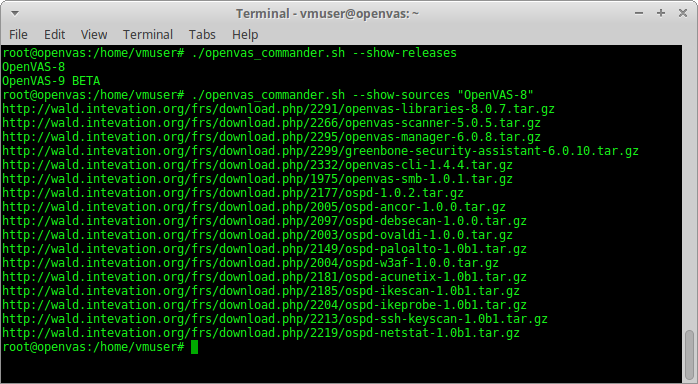
I wrote a small bash script to simplify OpenVAS installation and management of  – openvas_commander.sh. Tested on Debian 8.5, should work on Ubuntu and Kali.

Upd 10.04.2017 Read how to use this script to install OpenVAS 9 on Debian in the post “Installing OpenVAS 9 from the sources“.

wget https://raw.githubusercontent.com/leonov-av/openvas-commander/master/openvas_commander.sh
chmod +x openvas_commander.sh

What are its advantages over other similar scripts?

Continue reading

Choosing the right time for Nessus update

Choosing the right time for Nessus update. Nessus update may be required for bugs and vulnerabilities fixing, and to enable some new features as well. While using of an old scanning engine or plugin feed may lead to incorrect scan results.

However, during the update process of Nessus engine, you need to stop it. What about the running and scheduled scanning tasks?

Switch off Nessus

Someone might think that it is possible to put running Nessus scan task on pause and launch it when update process is finished. Well, not really. All paused scan tasks will be marked as “aborted” after updating.

Even if Tenable will ever fix this, delayed scans may still be incorrect. Different targets should be scanned at the right time. It’s not a good idea to scan windows desktops after the end of the working day, when they will be probably turned off.
Continue reading