Category Archives: Topics

Vulnerability Assessment without Vulnerability Scanner

Vulnerability Assessment without Vulnerability Scanner. This will be a practical confirmation of my thesis from “Vulnerability scanners: a view from the vendor and end user side“: the scanner for one operating system is easy to make. I also want to demonstrate that data collection and data analysis for Vulnerability Assessment may be successfully performed separately. There is no need to take the data directly from the vulnerable hosts, when it is already stored somewhere else, for example in IT monitoring systems.

Assessment without vulnerability scanner

The opacity of data collection and the need to have a privileged account on the remote host, traditionally causes conflicts between IS and IT departments and complicates implementation of VM process.

So, to detect vulnerabilities on our Linux host we need to know what version of the packages contain vulnerabilities, which versions of packages are installed on our hosts, and learn how to compare versions.

How do I know which versions of packages are vulnerable?

Vulnerable versions of packages are listed in official security bulletins:
RHEL – https://access.redhat.com/errata/RHSA-2016:0304
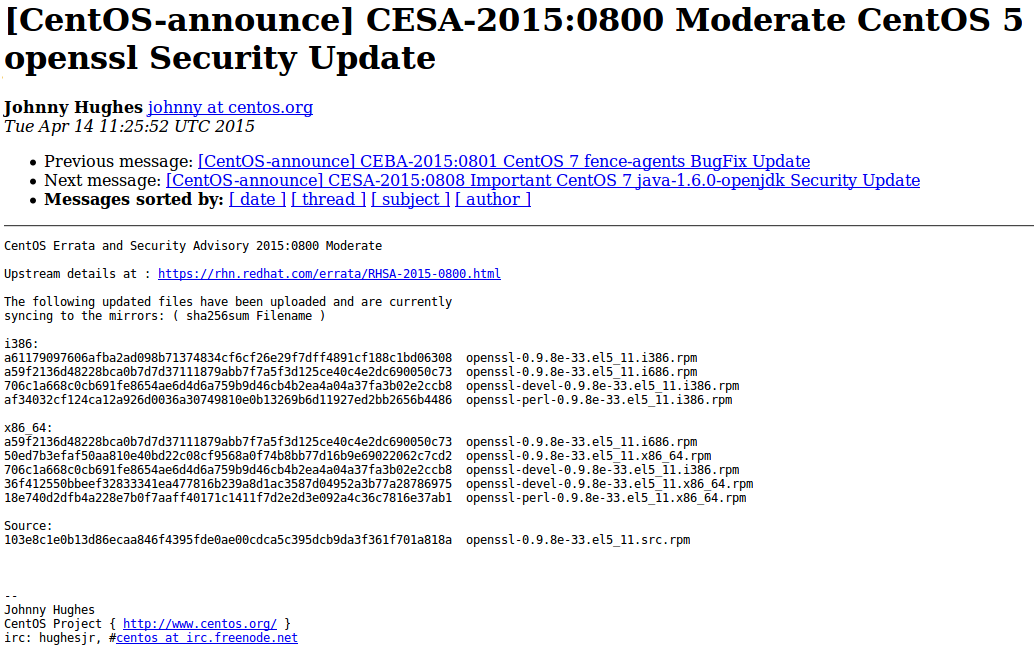
CentOS – https://lists.centos.org/pipermail/centos-announce/2015-April/021064.html
Debian – http://www.debian.org/security/2015/dsa-3197
Ubuntu – http://www.ubuntu.com/usn/usn-2537-1/

CESA bulletin example

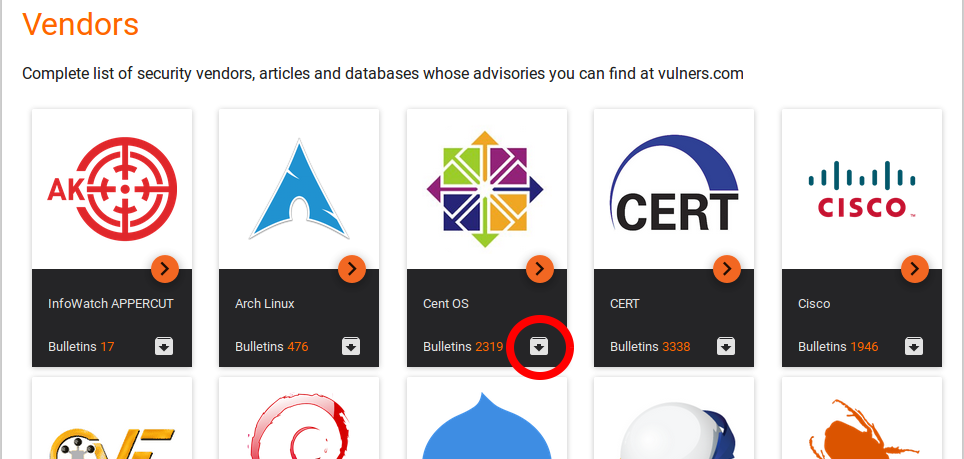
Of course, you will need to parse them first. Or you can just download the same content already parsed and presented in JSON format with Vulners.
download CESA bulletins from Vulners
Continue reading

Vulnerability scanners: a view from the vendor and end user side

Vulnerability scanners: a view from the vendor and end user side. Original article was published in Information Security Magazine #2, 2016 (in Russian)

Vulnerability scanner is a computer program or hardware appliance designed to detect security problems on hosts in computer network. What kind of problems? Well, problems that may occur if some critical security updates were not installed on time or the system was not configured securely. In practice, this situation often occurs and it makes hacking the systems easy even for inexperienced attacker.

If it is all about checking, maybe it’s possible to do it manually? Yes, sure, but it requires a lot of specific expertise, accuracy and time. That’s why vulnerability scanners, which can automate network audit, have become standard tools in the arsenal of information security experts.

I worked for a long time in the development department of well-known vulnerability scanning vendor and was making a lot of competitive analysis as well. At current time, I use vulnerability scanners as an end user. So, in this article I will try to look at the main problems of this class of products from the vendor and from the end user side.

how-users-see-the-vm-vendors-how-vm-vendors-see-the-users

How vulnerability scanner detects vulnerabilities?

Detection methods are usually well known and uncomplicated: vulnerability scanner somehow detects software version installed on a host. If version is less then secure version of this software (known from the public bulletin) – vulnerability exists and the software should be updated. If not – everything is ok. As a rule, vulnerability scanners try to guess installed versions by opened ports and service banners, or scanner may just have a full remote access to the host and able to perform all necessary commands (it is the most accurate and effective way).
Continue reading

PCI DSS 3.2 and Vulnerability Intelligence

PCI DSS 3.2 and Vulnerability Intelligence. Establish a process to identify security vulnerabilities, using reputable outside sources for security vulnerability information… It’s one of the requirements of PCI DSS v3.2 (The Payment Card Industry Data Security Standard). It’s not about regular scans, as you could think. It is actually about monitoring web-sites and mailing lists where information about vulnerabilities is published. It’s very similar to what Vulnerability Intelligence systems have to do, isn’t it? A great opportunity for me to speculate about this class of products and deal with related PCI requirement. In this post I will mention following solutions: Flexera VIM, Rapid7 Nexpose NOW, Vulners.com and Qualys ThreatPROTECT.

PCI DSS 3.2 and Vulnerability Intelligence

Term “Vulnerability Intelligence” is almost exclusively used by only one security company – Secunia, or how it is called now Flexera Software. But I like this term more than “Threat Intelligence”, a term that many VM vendor use, but historically it is more about traffic and network attacks. Let’s see how Vulnerability Intelligence solutions was developed, and how they can be used (including requirements of PCI Compliance).

Continue reading

Choosing the right time for Nessus update

Choosing the right time for Nessus update. Nessus update may be required for bugs and vulnerabilities fixing, and to enable some new features as well. While using of an old scanning engine or plugin feed may lead to incorrect scan results.

However, during the update process of Nessus engine, you need to stop it. What about the running and scheduled scanning tasks?

Switch off Nessus

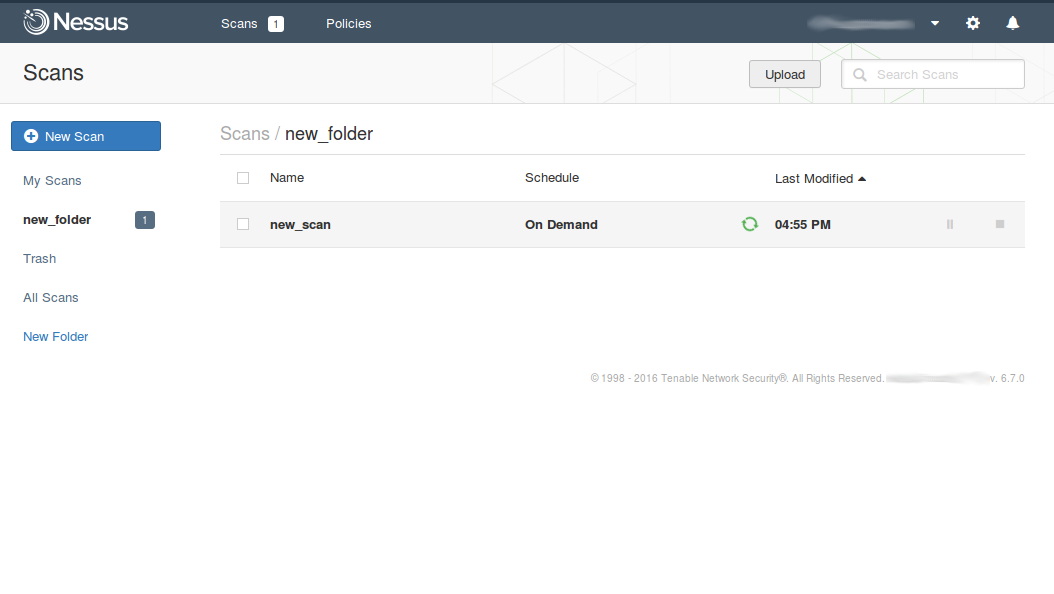
Someone might think that it is possible to put running Nessus scan task on pause and launch it when update process is finished. Well, not really. All paused scan tasks will be marked as “aborted” after updating.

Even if Tenable will ever fix this, delayed scans may still be incorrect. Different targets should be scanned at the right time. It’s not a good idea to scan windows desktops after the end of the working day, when they will be probably turned off.
Continue reading

Retrieving scan results through Nessus API

Retrieving scan results through Nessus API. In this first article about Nessus API I want to describe process of getting scan results from Nessus.

Of course, it’s also great to create and run scans or even create policies via API. But to be honest, in practice, you may need this functionality rarely. And it’s easier to do it manually in GUI. On the other hand, sometimes it very efficient to create automatically some specific scan task for specific group of hosts using existing (inventory) scan results. But we will talk about this topic next time (Upd. I wrote post about scan creation “Nessus API for hosts scanning“).

Nessus API

Now, imagine that we have configured regular Nessus scans. And we want to get this scan results on a regular basis to make some analysis and maybe create some tickets in Jira.

As usual, I will use curl for all examples, because it is easy to read and easy to test in any Linux terminal.

Starting from Nessus v.6 the API manual is built in GUI: https://<scanner_ip>:8834/api#
Continue reading

High-Tech Bridge service and API for SSL/TLS server testing

High-Tech Bridge service and API for SSL/TLS server testing. Another great free SSL security testing service — High-Tech Bridge SSL Server Test (and Free API). I have already reviewed something quite familiar – Qualys SSL Labs client. So naturally there will be an element of comparison.

High-Tech Bridge SSL/TLS test request

Why have I tried something else after Qualys SSL Labs? The thing is Qualys doesn’t support IP addresses as a target. Maybe they don’t want it to be used for assessing full IP-ranges. I don’t know. But the fact is “IP addresses are not allowed”.

Continue reading

Vulners.com search API

Vulners.com search API. Upd. Vulners released updated Vulners API. What is written below is still working. But now it’s all this can be done much easier.

The greatest thing is “references=true”. It makes possible to get all the referenced objects (exploits, detection plugins, etc.) and bulletin description in ONE search request.

So, for example bellow this query will be enough: https://vulners.com/api/v3/search/lucene/?query=cvss.score:10%20type:centos%20order:published&references=true

Life is getting better! 😉

In a previous post I made a brief review of Vulners.com security content database and search engine. Today let’s see how to automate searching of vulnerabilities, exploits, patches, bugbounty results, etc, with vulners.com search API.

Vulners Search API

It is really easy. We just need to send POST-request to https://vulners.com/api/v1/luceneSearch/ with JSON structure containing search query, size of results you want to get (10000 is maximum), and number of search result entities you would like to skip (optional). Huge size parameter limit makes possible, for example, getting all 2267 CentOS security bulletins with only one request. At the moment, no authorization is required to make requests and no limits for API use exist. Of course, the service is in active development phase and this functionality may be changed soon.

So, let’s get latest CentOS bulletin with most critical vulnerability:

curl -H "Content-Type: application/json" -X POST -d '{"query":"cvss.score:10 type:centos order:published", "size":1}' https://vulners.com/api/v1/luceneSearch/ | python -m json.tool
Continue reading