Qualys authenticated scanning

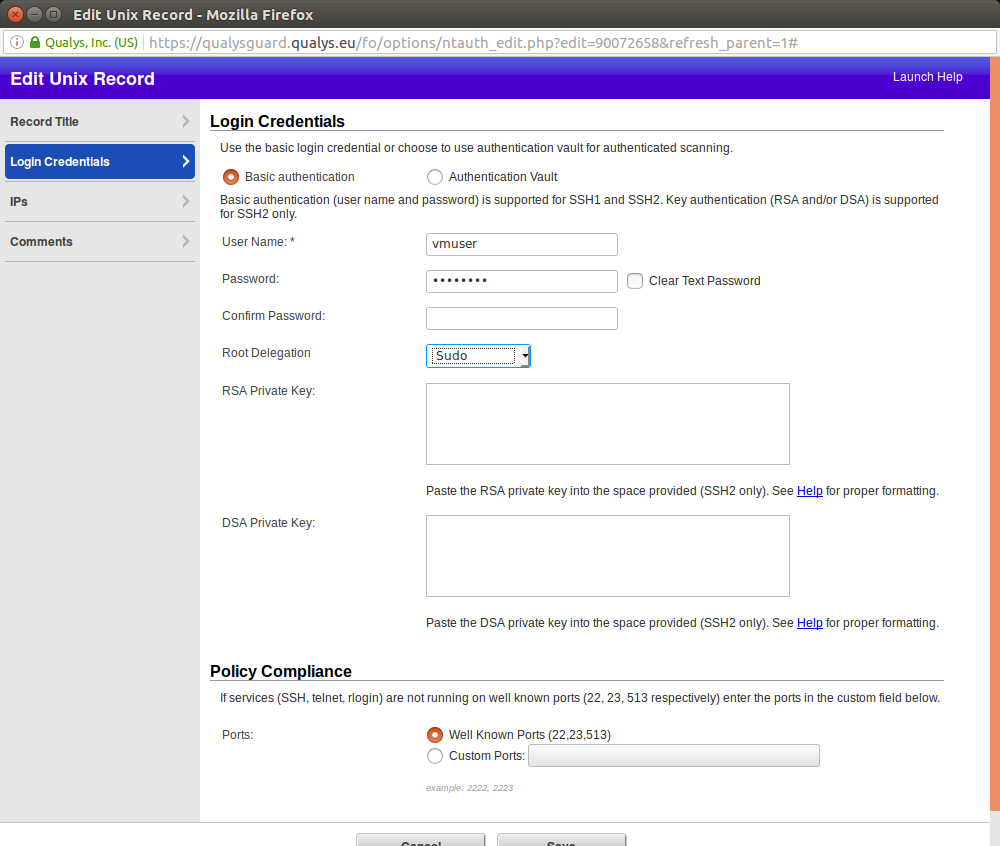
Qualys authenticated scanning. Let’s see how authenticated scanning works in Qualys. Nessus stores scanning credentials in related Scan Policy (see “Tenable Nessus: registration, installation, scanning and reporting“). Iit’s not always convenient. In Qualys you can set up a scanning record and configure for which hosts it will be used.

Login Credentials

I downloaded Qualys Virtual Scanning Appliance VirtualBox image  and configured it as it was described in “Using Qualys Virtual Scanner Appliance“. The only difference: I configured second network device as VirtualBox “Host Only Adapter” to scan virtual machines on my host. You can see how to configure VirtualBox “Host Only Adapter” in my post here.

Continue reading

Nessus API for hosts scanning

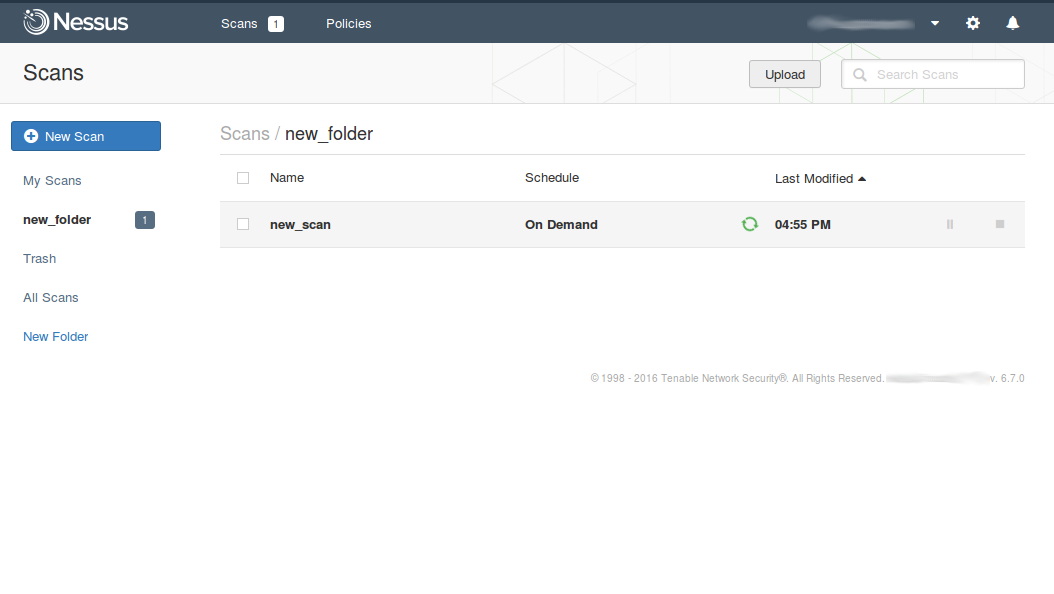
Nessus API for hosts scanning. When I was writing earlier about Nessus API (“Retrieving scan results through Nessus API“) I have not mentioned how to create a new vulnerability scan task and launch it fully automatically. I assumed that all vulnerability scan entities was already created and scheduled in GUI, how it is often happens in a real life. However, managing the scans via Nessus API (run, pause, resume, stop) may be also useful, for example, when we need to automatically update vulnerability status of some host. Creating scan policy with API will be still out of scope of this post. We assume, that scan policy already exists.

Nessus API for scan management

API Description is still at https://192.168.56.101:8834/api# (where 192.168.56.101 is the IP address of your Nessus host). How to install Nessus read in “Tenable Nessus: registration, installation, scanning and reporting“.

Continue reading

F-Secure Radar Vulnerability Management solution

F-Secure Radar Vulnerability Management solution. In this blog I am writing mainly about VM market leaders. Most of them are US-based companies. However, there are vulnerability management solutions that are popular only in some particular country or region. About some of them you maybe have not even heard. At the same time, these solutions are rather interesting.

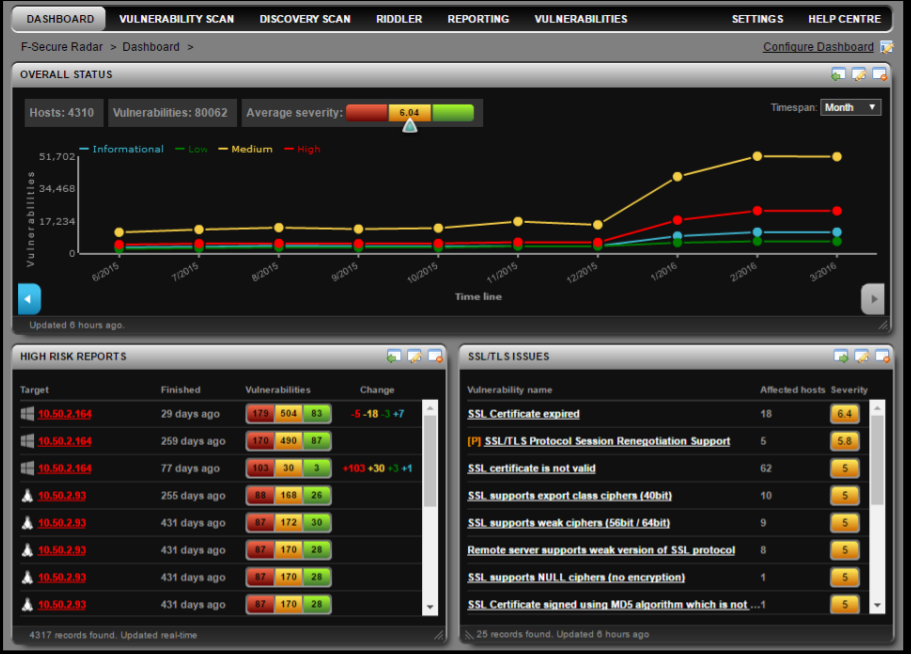
F-Secure Radar Dashboards

Vulnerability Scanner I want to present today, was initially developed by nSence company from Espoo, Finland. It was named “Karhu”, a “bear” in Finnish. In June 2015 antivirus company F-Secure has bought nSense and formed it’s Cyber Security Services department. The scanner was renamed in F-Secure Radar. Not to be confused with IBM QRadar SIEM 😉

Solution structure is similar to Qualys and Nessus Cloud. There is a remote server that provides a web interface: portal.radar.f-secure.com. You can scan your perimeter using the remote scanner. To scan the hosts within the network, you should deploy the Scan Node Agent on a Windows host.

Continue reading

OpenVAS plugins in Vulners.com

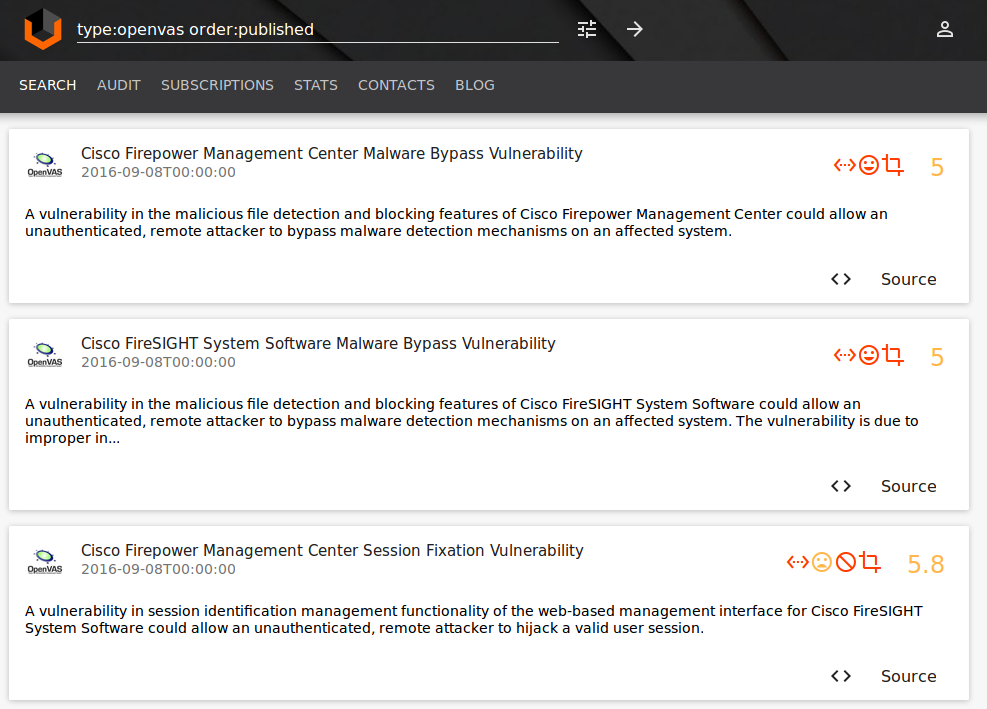
OpenVAS plugins in Vulners.com. Great news! Vulners.com vulnerability search engine now supports OpenVAS detection plugins.

OpenVAS plugins Vulners

Why OpenVAS is important?

OpenVAS is the most advanced open source vulnerability scanner and is the base for many Vulnerability Management products.

Key vendors that produce OpenVAS-based products are Greenbone and Acunetix. There are some local vendors, such as Scaner VS by Russian company NPO Echelon.

“Vanilla” OpenVAS is also widely used when there is no budget for a commercial solution or it’s necessary to solve some specific problems, including developing own plugins for vulnerability detection. OpenVAS is integrated with wide range of information security systems, for example it is a default VM solution for AlienVault SIEM.

OpenVAS is well suited for education purposes as it is well documented and uses only open source code. For OpenVAS it’s always clear how the it works.

Continue reading

Qualys Option Profiles for Vulnerability Scanning

Qualys Option Profiles for Vulnerability Scanning. When I wrote about vulnerability scanning in Nessus, I described there in detail how Nessus scan profile looks like. And when I wrote about VM scanning in Qualys, I did not mentioned scan profiles at all. But it’s also an interesting topic. In Qualys scan profile you can’t specify which vulnerability check will run during the scan, as in Nessus (Upd. Actually yes you can, but in some different manner; I added how to do it in “Scan” section). However, you can also see some options that can affect the way you do the vulnerability scanning with Qualys.

The main option for me – the lists of scanning ports. By default Qualys does not check all the ports and that could negatively affect host detection during unauthenticated scanning.

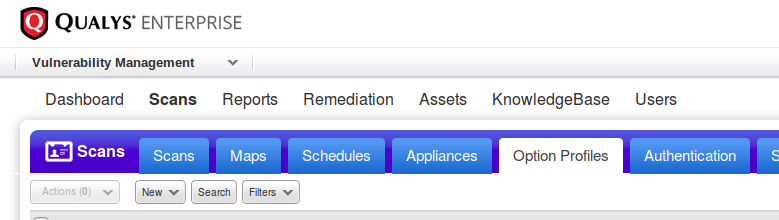
Creating new scan profile: Vulnerability Management -> Option Profiles -> New

Qualys option profiles

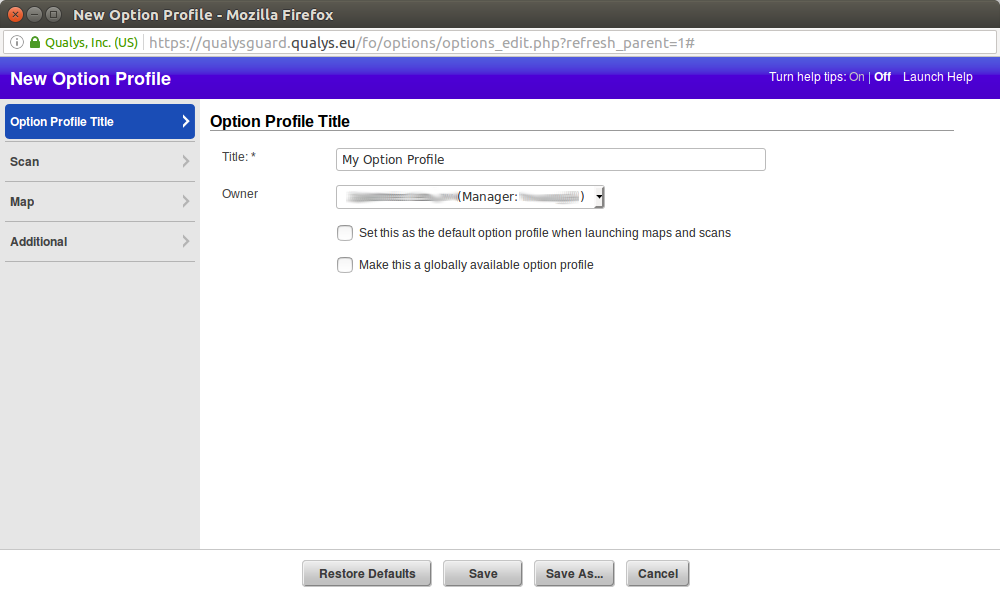
Title

Setting title and owner of the profile. We can use this profile as a default for launching maps and scans or share it with other Qualys users in our organization ( “Make this a globally available option profile”).

qualys new option profile

Continue reading

New Vulners.com services for Linux Security Audit and Vulnerability Alerting

New Vulners.com services for Linux Security Audit and Vulnerability Alerting. Upd. This post is out of date! Check out “Vulners Linux Audit API for Host Vulnerability Detection: Manual Auditing, Python Scripting and Licensing” from 2021.

A few weeks ago I was describing how to perform Linux Vulnerability Assessment without a Vulnerability Scanner. I also wrote in “Vulnerability scanners: a view from the vendor and end user side” that vulnerability scanning is not rocket science and it is easy to make your own scanner for vulnerabilities for a particular OS. Especially it is a popular Linux Distribution.

But. It’s one thing to write that you can do it, and another thing to develop a script for home use, and quite another thing to make a publicly available and efficient service…

Vulners Team guys have actually created such free Linux Vulnerability Audit service!

Linux Vulnerability Audit Service

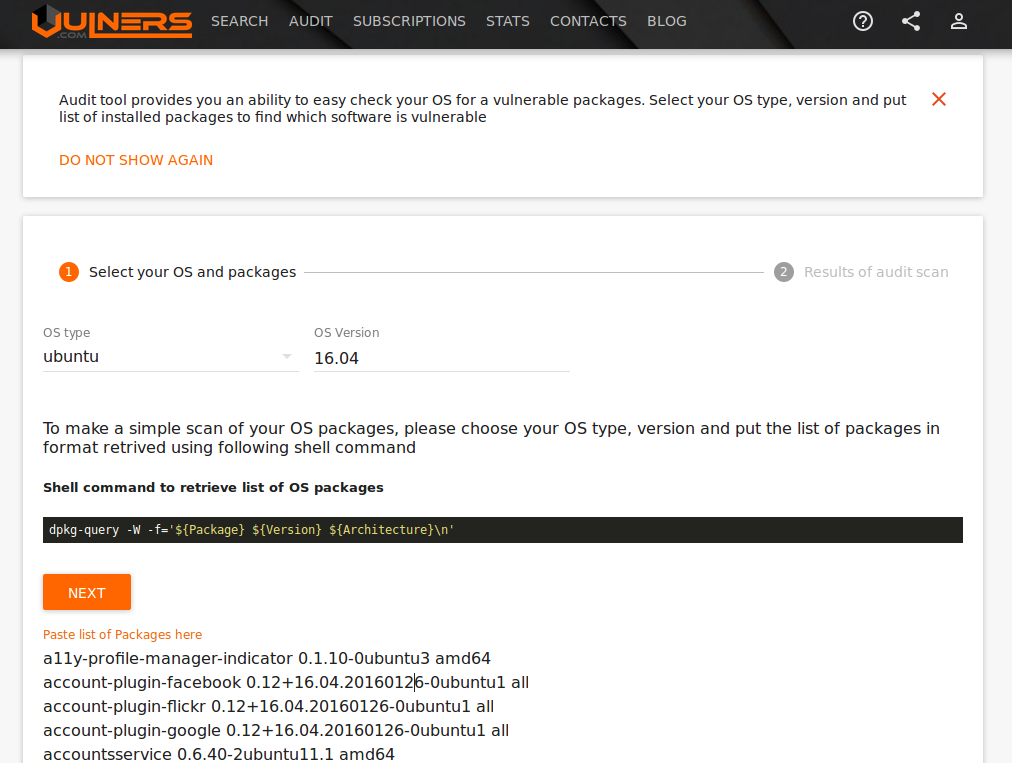
First of all, they made a GUI where you can specify OS version (usually it is in the /etc/os-release file), list of packages installed on the host and get the list of vulnerabilities.

For example, here are the vulnerabilities for my Ubuntu Laptop, which I update frequently:

Ubuntu Vulners Linux Audit Input

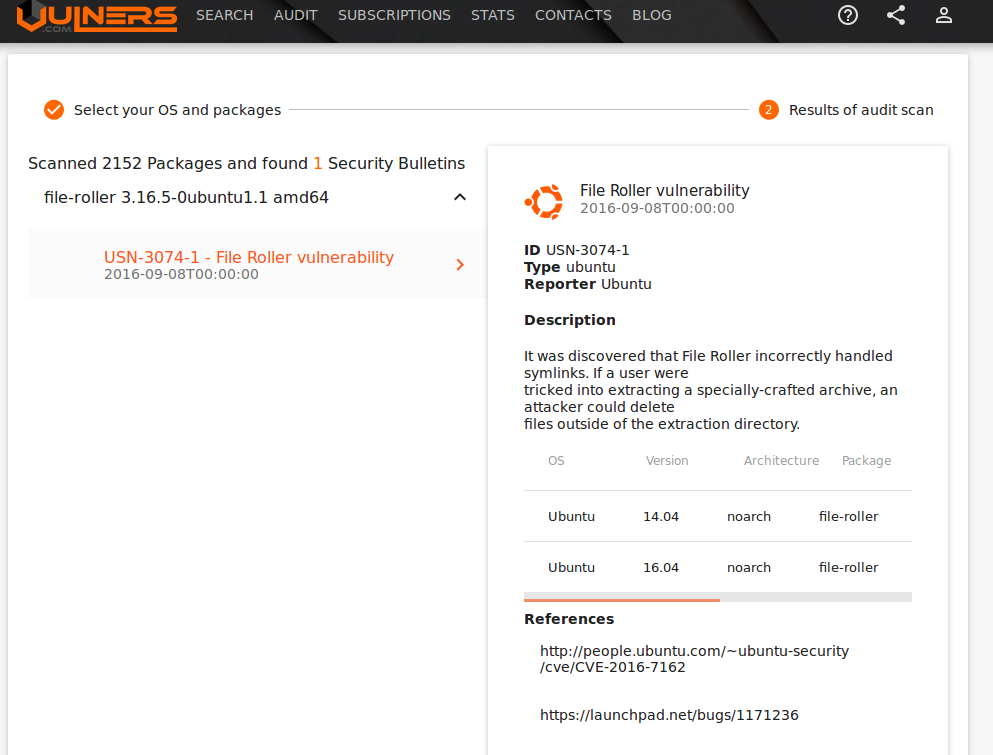
One vulnerability was found:

Ubuntu Vulners Linux Audit Results

But GUI is good for demonstration. In real life, you can use Vulners Audit API. It will return list of vulnerabilities in JSON.

Continue reading

Dealing with Qualys Cloud Agents

Dealing with Qualys Cloud Agents. Today I would like to write about Qualys agent-based VM scanning. Agent-based scanning is a relatively new trend among VM vendors. At the beginning of Vulnerability Assessment, there was a prevailing view that the agentless scanning is more convenient for the users: you do not need to install anything on the host, just get credentials and you are ready to scan.
Qualys Cloud Agents logo

However, time passed and it now appears that installing agents on all hosts, where it is technically possible, may be easier, than managing credentials for authenticated scanning. Don’t forget the fact that almost all agentless scanning solutions require scanning account with root/admin privileges, and it’s not an easy task to minimize permissions of this accounts while keeping all functional capabilities of the scanner.

In recent years almost all major VM vendors who previously were promoting agentless scanning have also proposed agent-based solutions.

The main purposes of these solutions are:

  • scan devices that periodically connect to the enterprise network and it’s hard to catch them with traditional active scan (for example, laptop);
  • scan business critical hosts for which it is impossible to get scanning credentials.

VM vendors have taken different approaches for agent-based scanning. For example, Tenable agents are technically very similar to Nessus installations without web interface (read more at “Nessus Manager and Agents“), limited to can scan only the localhost. This seems reasonable, because historically Nessus scanner is available for many platforms, including Windows, Linux, MacOS. Qualys chose other way. They made minimalistic agents for data gathering, processing it on the remote servers. This is also fits well in Qualys cloud concept.

As I wrote earlier in “Qualys Vulnerability Management GUI and API“, Qualys working hard to make their web interface easier for beginners. When you go to CA (Cloud Agents) tab, the first thing you see is a user-friendly interface for quick start.
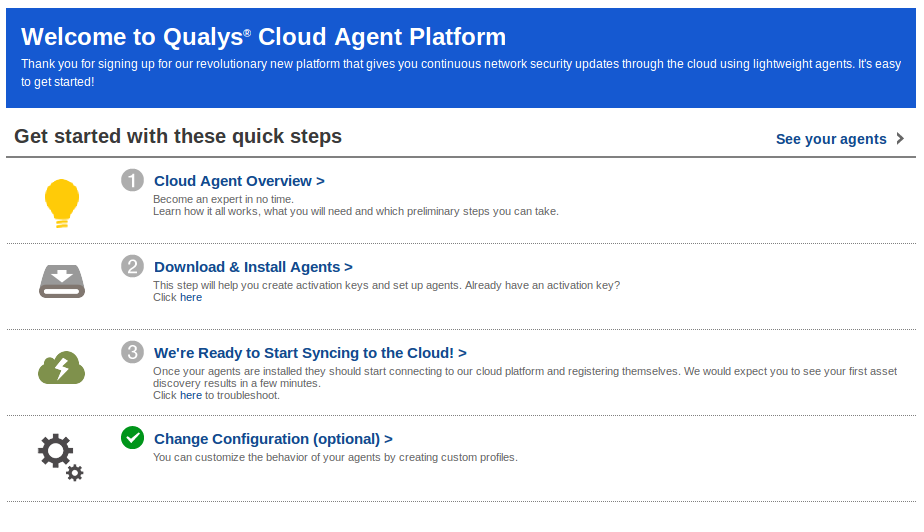
Cloud Agents Welcome

Continue reading