Tag Archives: phishing

About Elevation of Privilege - Windows Ancillary Function Driver for WinSock (CVE-2026-68820) vulnerability

About Elevation of Privilege - Windows Ancillary Function Driver for WinSock (CVE-2026-68820) vulnerability

About Elevation of Privilege - Windows Ancillary Function Driver for WinSock (CVE-2026-68820) vulnerability. The Ancillary Function Driver (AFD) is a Windows component that supports Windows Sockets applications and is contained in the afd.sys file. The afd.sys driver runs in kernel mode and manages the Winsock TCP/IP communications protocol. This vulnerability is from the August Microsoft Patch Tuesday. Use-after-free (CWE-416) in the Windows Ancillary Function Driver for WinSock allows an authorized attacker to elevate privileges locally to SYSTEM level. Successful exploitation requires an attacker to win the race condition. As a result, the attacker can gain full control over the Windows host, execute commands with SYSTEM-level privileges, disable security protections, install malware, and access other users' data.

👾 The vulnerability was already being exploited in the wild when it was disclosed as part of Microsoft's August Patch Tuesday on August 11. That same day, it was added to the CISA KEV catalog. Notably, Microsoft listed the Exploit Code Maturity in the CVSS as "Unproven". 🤷‍♂️ Microsoft credited researchers from Check Point for reporting the vulnerability.

Details on how the vulnerability was exploited in attacks were published in a Check Point blog post on August 11. The vulnerability was exploited as part of the "Operation Dream Job" campaign, which targeted organizations worldwide, with a particular focus on the defense sector in Europe and India. The campaign is linked to the Lazarus Group. The campaign begins with targeted phishing messages offering victims attractive job opportunities at well-known companies in the defense, aerospace, and aviation industries. Victims are lured into opening a PDF decoy masquerading as a Lockheed Martin job description. This triggers the execution of a lightweight in-memory loader - MISTPEN. The loader uses the Microsoft Graph API to access OneDrive, from which it retrieves additional modules and runs them in memory. During the initial stages of the infection, the attacker deploys several reconnaissance modules that gather information about the system and running processes. Once the target is deemed of interest, MISTPEN retrieves an additional persistence module, which installs the malware on disk and ensures that MISTPEN is automatically launched after a system reboot. After establishing persistence, MISTPEN loads an in-memory module designed to exploit the CVE-2026-68820 vulnerability. Check Point researchers believe that this vulnerability was already being exploited in the "Operation Dream Job" campaign in early July 2026. Successful exploitation enables the malware to launch FudModule, a Lazarus kernel-level rootkit, with SYSTEM privileges. The final backdoor delivered by MISTPEN - ForestTiger - provides attackers with remote access to the compromised system, allowing them to execute commands, collect host information, and download additional malicious components.

🛠 No public exploits have been observed so far. Some people are offering exploits for sale, but they don't look reliable.

⚙️ Security updates are available for Windows 10, Windows 11, and Windows Server 2019.
September episode of "In The Trend of VM": 7 CVEs, fake reCAPTCHA, lebanese pagers, VM and IT annual bonuses

September episode of "In The Trend of VM": 7 CVEs, fake reCAPTCHA, lebanese pagers, VM and IT annual bonuses. Starting this month, we decided to slightly expand the topics of the videos and increase their duration. I cover not only the trending vulnerabilities of September, but also social engineering cases, real-world vulnerability exploitation, and practices of vulnerability management process. At the end we announce a contest of questions about Vulnerability Management with gifts. 🎁

📹 Video "In The Trend of VM" on YouTube
🗞 A post on Habr (rus) a slightly expanded script of the video
🗒 A compact digest on the official PT website

Content:

🔻 00:51 Elevation of Privilege - Windows Installer (CVE-2024-38014) and details about this vulnerability
🔻 02:42 Security Feature Bypass - Windows Mark of the Web "LNK Stomping" (CVE-2024-38217)
🔻 03:50 Spoofing - Windows MSHTML Platform (CVE-2024-43461)
🔻 05:07 Remote Code Execution - VMware vCenter (CVE-2024-38812)
🔻 06:20 Remote Code Execution - Veeam Backup & Replication (CVE-2024-40711), while the video was being edited, data about exploitation in the wild appeared
🔻 08:33 Cross Site Scripting - Roundcube Webmail (CVE-2024-37383)
🔻 09:31 SQL Injection - The Events Calendar plugin for WordPress (CVE-2024-8275)
🔻 10:30 Human vulnerabilities: fake reCAPTCHA
🔻 11:45 Real world vulnerabilities: еxplosions of pagers and other electronic devices in Lebanon and the consequences for the whole world
🔻 14:42 Vulnerability management process practices: tie annual bonuses of IT specialists to meeting SLAs for eliminating vulnerabilities
🔻 16:03 Final and announcement of the contest
🔻 16:24 Backstage

На русском

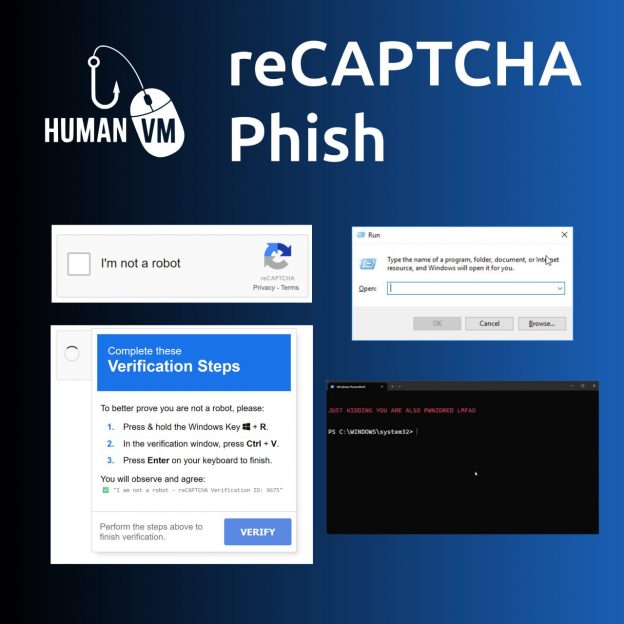
Fake reCAPTCHA

Fake reCAPTCHA

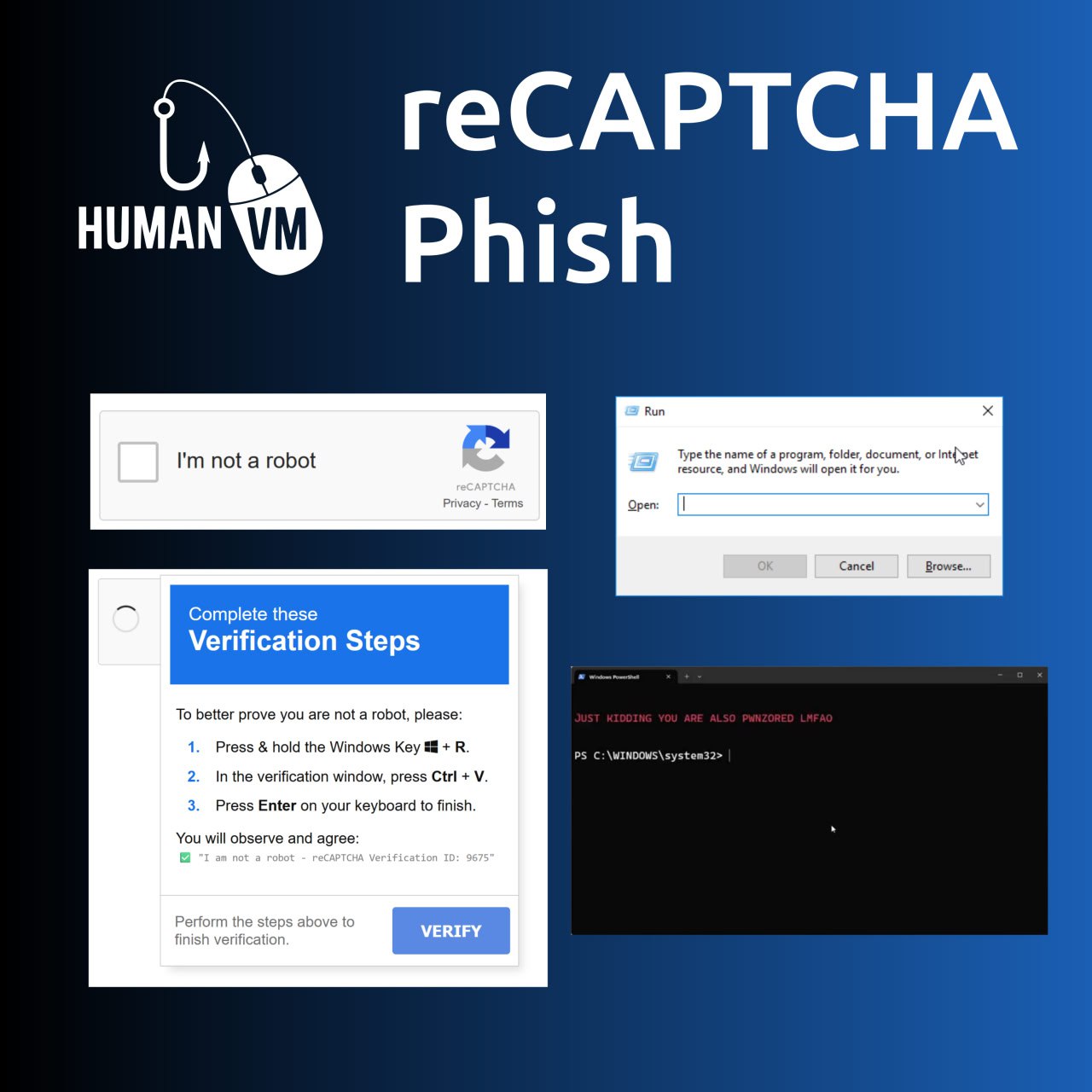
Fake reCAPTCHA. Probably the most interesting example of exploitation of human vulnerability in the last month. This trick works for two reasons:

🔹 Various captcha services have taught people to do the strangest things: click on pictures with certain content, retype words, solve some puzzles. Many people do not even think when they see another window "prove that you are not a robot" and just do what they are asked. 🤷‍♂️

🔹 Websites have the ability to write arbitrary text to the site visitor's clipboard. 😏

Fake captcha asks the user to launch the Run window in Windows (Win + R), then paste a malicious command from the clipboard into this window (Ctrl + V) and run the command (Enter). Very primitive, but it works! 🤩 This is how attackers trick victims into running malicious PowerShell scripts and HTA applications. 👾

John Hammond recreated the code of such a "captcha". You can use it in anti-phishing training.

На русском

PHDays 11: towards the Independence Era

PHDays 11: towards the Independence Era. Hello everyone! In this episode, I want to talk about the Positive Hack Days 11 conference, which took place on May 18 and 19 in Moscow. As usual, I want to express my personal opinion about this event.

Alternative video link (for Russia): https://vk.com/video-149273431_456239091

As I did last year, I want to start talking about this conference with a few words about the sanctions. US sanctions against Positive Technologies, the organizers of Positive Hack Days, were introduced a year ago. At that time it seemed very serious and extraordinary. But today, when our country has become the most sanctioned country in the world, those sanctions against Positive Technologies seem very ordinary and unimportant. In fact, it even seems to benefit the company somehow.

Continue reading

Barapass, Tsunami scanner, vulnerabilities in Windows DNS Server and SAP products, weird attack on Twitter

Barapass, Tsunami scanner, vulnerabilities in Windows DNS Server and SAP products, weird attack on Twitter. This episode is based on posts from my Telegram channel avleonovcom, published in the last 2 weeks. So, if you use Telegram, please subscribe. I update it frequently.

Barapass, Tsunami scanner, vulnerabilities in Windows DNS Server and SAP products, weird attack on Twitter

Barapass update

I recently released an update to my password manager barapass. BTW, it seems to be my only pet project at the MVP stage, which I use every day.

What’s new:

  1. Now I am sure that it works on Windows 10 without WSL. And you can run it beautifully even with the icon. ? Read more about installation in Windows in this file.
  2. Not only “copy the next value to the clipboard” (or “revolver mode” ) is now possible in the search results section. You can also get the previous value or copy the same value one again if it was somehow erased in the clipboard. Previously, I had to retype the search request each time to do this, and it was quite annoying. By the way, I unexpectedly discovered that the user input history inside the application magically works in the Windows shell (using up and down arrows) without any additional coding. On Linux it does not.
  3. You can set a startup command, for example, to decrypt the container.
  4. The startup command and quick (favorite) commands are now in settings.json and not hard-coded.
  5. settings.json, container files and decrypted files are now in “files” directory. It became more convenient to update barapass, just change the scripts in the root directory and that’s it. I divided the scripts into several files, now it should be more clear how it works.

So, if you need a minimalistic console password manager in which you can easily use any encryption you like – welcome! You can read more about barapass in my previous post.

Continue reading

Anti-Phishing process with advanced phishing attacks simulation

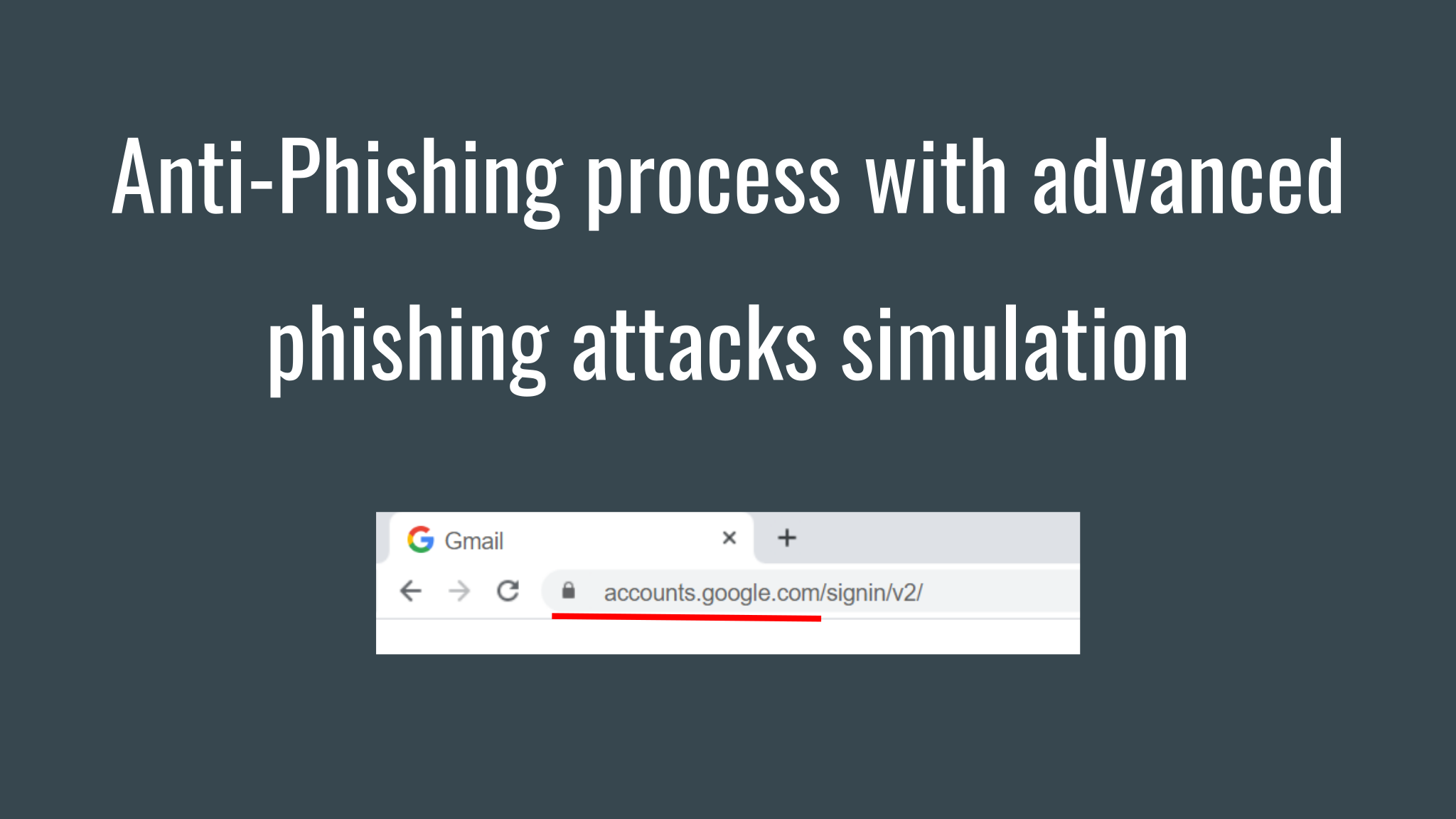
Anti-Phishing process with advanced phishing attacks simulation. This time I want to write about the service of my friends from Antiphish. They call it “security awareness and employee behaviour management platform”. Simply put, they teach company employees how to detect and avoid phishing attacks.

By the way, they are great guys, made a demo for me, prepared custom templates, like in real PoC for a corporate client. Thanks so much for the excellent work!

The main idea

When you sign in to the Antiphish interface, you see the dashboards with information about the people who studied security courses, were tested during the course and were checked using emulated phishing attacks (some of these attacks are amazing, and I’ll show them at the end). This is the main idea. How can you protect your organization from phishing attacks? Educate people and constantly provoke them. Not just to send an email and see the employees who visited your “malicious” website. No, there should be a process!

Continue reading

Free High-Tech Bridge ImmuniWeb Application Discovery service

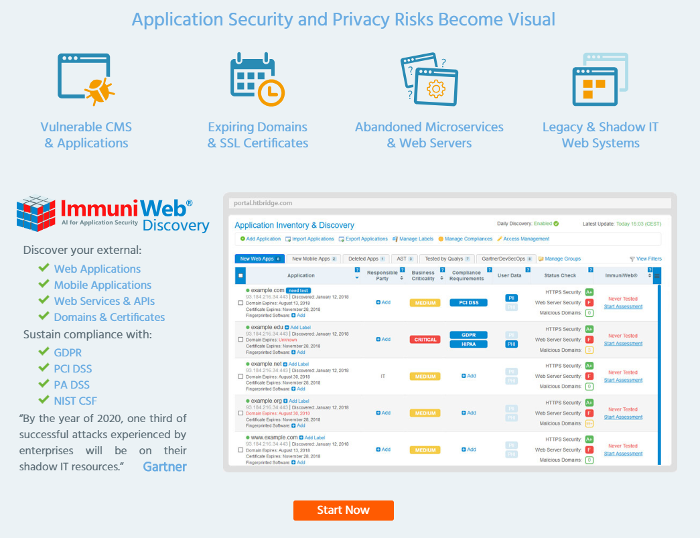
Free High-Tech Bridge ImmuniWeb Application Discovery service. Today I would like to talk about another service for application security analysis by High-Tech Bridge. It’s called ImmuniWeb Application Discovery.

This service can get information about your web and mobile applications available from the Internet. Believe me, this is not so obvious for a large organization. And, what is especially pleasant, it works automatically and free of charge. 😉

High-Tech Bridge ImmuniWeb Free Application Discovery

ImmuniWeb Application Discovery will also show the basic security problems with SSL connection, web-server headers, potential phishing issues for all founded web services. You can read more about this part in my posts about High-Tech Bridge services and APIs for SSL/TLS server testing and for searching cybersquatting, typosquatting and phishing domains.

From the same interface you can order an advanced audit of your web applications by High-Tech Bridge as well.

Continue reading