Tag Archives: Nmap

The Vulners team has released nmap-vulners 2.0

The Vulners team has released nmap-vulners 2.0

The Vulners team has released nmap-vulners 2.0. This plugin (an NSE script) turns the popular Nmap port scanner into a black-box vulnerability scanner. Simply run $ nmap -sV --script vulners <target> to get a prioritized report on vulnerabilities and exploits. And all of this is available for free with no limitations. 🆓😉

How exactly does this plugin work?

To find vulnerabilities, the software is identified first:

🔹 The service's CPE identifier may be provided by Nmap itself (using the -sV option).

🔹 If Nmap fails to identify the service, the plugin attempts to determine the CPE identifier from the raw banner using rules for FTP, SMTP, SSH, MySQL, DNS, NTP, LDAP, and other services. Starting with version 2.0, the fingerprint catalog is updated weekly based on Recog, Wappalyzer, WhatWeb, FingerprintHub, and nuclei-templates. The latest catalog is automatically fetched when the plugin runs.

🔹 If an HTTP service is detected, nmap-vulners also attempts to identify the web stack, including the framework, CMS, or PHP version behind a reverse proxy. It analyzes Server and X-Powered-By headers, cookies, the page title, meta tags, filenames in script src, and page content. The plugin includes more than 700 rules. In version 2.0, the number of HTTP path fingerprints increased from 125 to 939, while parallelization kept the processing time at around 6 seconds per port.

🔹 If a product is identified but its version is unknown, the plugin makes a single request to a known file that contains version information, such as /CHANGELOG.txt for Drupal or /administrator/manifests/files/joomla.xml for Joomla. This works with Concrete5, Drupal, Jira, Joomla, Apache Tomcat, and WordPress.

🔹 Finally, if a service cannot be identified, Smart Audit can be used. The raw banner is sent to the Vulners server, which identifies the software and its version and then looks for related vulnerabilities. This is the only paid feature! Each unique request costs 1 credit, and results are cached. The number of requests is limited by the vulners.max_items parameter, which defaults to 32. Smart Audit can be disabled entirely with --script-args vulners.max_items=0.

The service data is then sent to the Vulners server, which returns a prioritized vulnerability report. For each vulnerability or exploit, the report includes its ID, SEVERITY level, CVSS and EPSS scores, Vulners AI score, KEV and EXP flags, and a link to its page on the Vulners website.

So, is an API key actually required?

🔹 The plugin can work without an API key. However, detection will use the legacy endpoint, and some vulnerability and exploit data will not be available.

🔹 Adding an API key, even without credits, enables the "EXP" flag for vulnerabilities and the "KEV" flag for both vulnerabilities and exploits. It also adds an EPSS score column, providing more complete prioritization: KEV → CISA SSVC Exploitation Active → exploits → EPSS → CVSS. So, an API key is recommended. 😉

🔹 If your API key has credits, the Smart Audit feature is also available (see above).

Installation

To install the plugin, simply run the one-line script. The installer automatically finds Nmap and its NSE script directory, installs the latest vulners.nse version, and removes old 1.x files. It then runs nmap --script-updatedb and verifies the installation. The --user and --prefix options let you specify the installation directory, while --uninstall removes the plugin. If needed, the installer prompts for a Vulners API key, validates it, and saves it to ~/.nmap/vulners.key with permissions set to 600.
Barapass, Tsunami scanner, vulnerabilities in Windows DNS Server and SAP products, weird attack on Twitter

Barapass, Tsunami scanner, vulnerabilities in Windows DNS Server and SAP products, weird attack on Twitter. This episode is based on posts from my Telegram channel avleonovcom, published in the last 2 weeks. So, if you use Telegram, please subscribe. I update it frequently.

Barapass, Tsunami scanner, vulnerabilities in Windows DNS Server and SAP products, weird attack on Twitter

Barapass update

I recently released an update to my password manager barapass. BTW, it seems to be my only pet project at the MVP stage, which I use every day.

What’s new:

  1. Now I am sure that it works on Windows 10 without WSL. And you can run it beautifully even with the icon. ? Read more about installation in Windows in this file.
  2. Not only “copy the next value to the clipboard” (or “revolver mode” ) is now possible in the search results section. You can also get the previous value or copy the same value one again if it was somehow erased in the clipboard. Previously, I had to retype the search request each time to do this, and it was quite annoying. By the way, I unexpectedly discovered that the user input history inside the application magically works in the Windows shell (using up and down arrows) without any additional coding. On Linux it does not.
  3. You can set a startup command, for example, to decrypt the container.
  4. The startup command and quick (favorite) commands are now in settings.json and not hard-coded.
  5. settings.json, container files and decrypted files are now in “files” directory. It became more convenient to update barapass, just change the scripts in the root directory and that’s it. I divided the scripts into several files, now it should be more clear how it works.

So, if you need a minimalistic console password manager in which you can easily use any encryption you like – welcome! You can read more about barapass in my previous post.

Continue reading

First steps with Docker: installation in CentOS 7, vulnerability assessment, interactive mode and saving changes

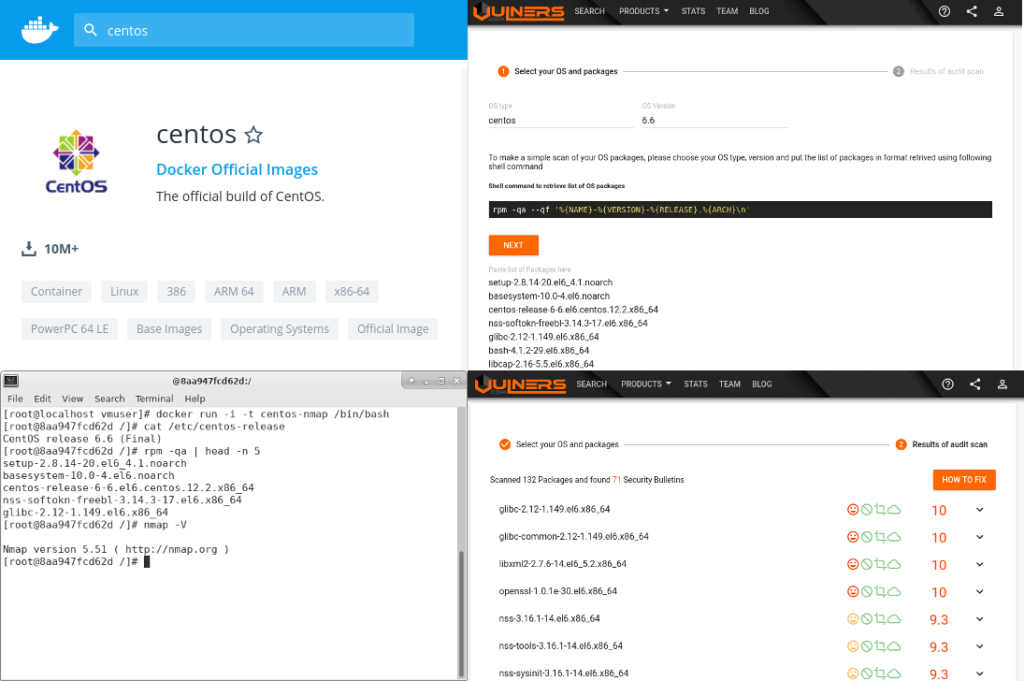
First steps with Docker: installation in CentOS 7, vulnerability assessment, interactive mode and saving changes. Docker and containerization are literally everywhere. IMHO, this changes the IT landscape much more than virtualization and clouds. Let’s say you have a host, you checked it and find out that there are no vulnerable packages. But what’s the point if this host runs Docker containers with their own packages that may be vulnerable? Add to this the issues with complex orchestration systems, such as Kubernetes, completely different DevOps subculture with their own terms, slang, beliefs, priorities, and the situation begins to look like complete IT Hell. 🙂

First steps with Docker

But it seems that Docker will be here for a long time, so we will have to live with it. 😉 Here I will not write what Docker is and how it works. There are many publications about this. I personally interested in what actually we can do with these weird “virtual machines”, how can we run and assess them.

Continue reading

Packabit project: building Nmap deb packages for Ubuntu

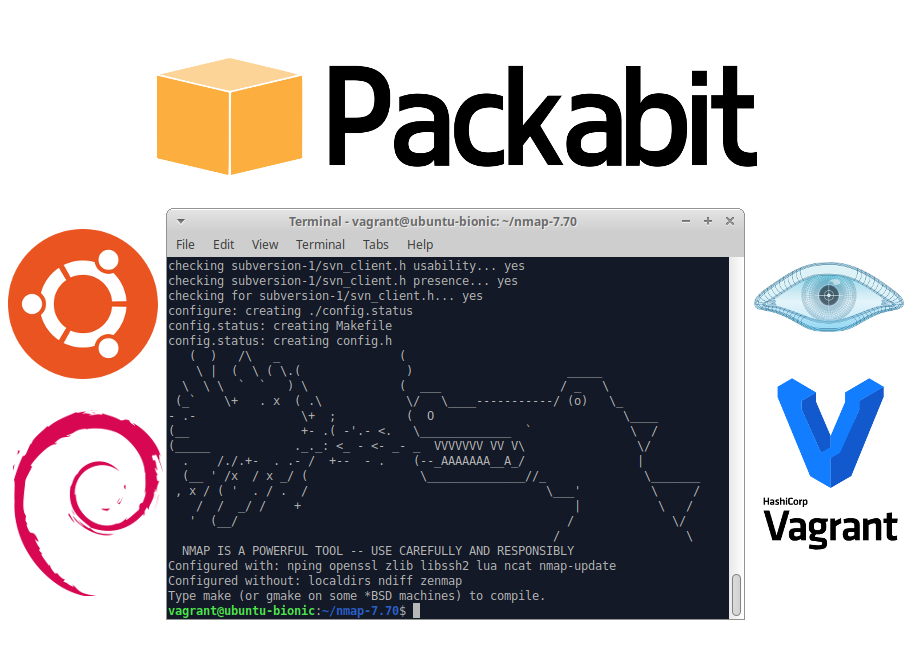
Packabit project: building Nmap deb packages for Ubuntu. During the long New Year holidays (30 dec – 8 jan) I started a new project: Vagrant-based Linux package builder called Packabit. I thought it might be nice to have scripts that will automatically build a Linux packages from sources and will NOT litter main system with unnecessary packages. Something like a very simplified build server.

Packabit - Vagrant-based Linux package builder

Why might someone want to build Linux packages on their own?

Official repositories of Linux distros usually contain pretty old versions of packages. Let’s take, for example, Nmap. The only version of Nmap available in the repository for Ubuntu 18.04.1 LTS is 7.60 , and the latest stable version of Nmap available on official website is 7.70.

Release dates according Nmap changelog:

  • Nmap 7.70 [2018-03-20]
  • Nmap 7.60 [2017-07-31]

The latency is more than a year.

Is it really necessary to use the latest version? Actually, yes. Every new version of Nmap contain more banner detects and service detects and produce more adequate results. Nmap project offers official packages only for RPM-based distributions: CentOS, RHEL, Fedora, etc. And if you need packages for DEB-based distributions, Debian, Ubuntu, Kali, etc. you should build them yourself.

What is the Packabit?

Currently it’s just 2 bash scripts for building stable Nmap package for Ubuntu 18.04: one is for creation and launching Vagrant virtual machine, the other runs on guest virtual machine and build Nmap package from the sources.

How to try it

I want this project to be as opensource as possible. If anyone wants to give it a try, get it from Github. For the end-user it looks like this: run the script build_nmap.sh, wait for 10 minutes and get new package from the packages directory. There won’t be any litter in a process. Each time a new virtual machine for building will be automatically created and then destroyed.

Continue reading

Vulchain scan workflow and search queries

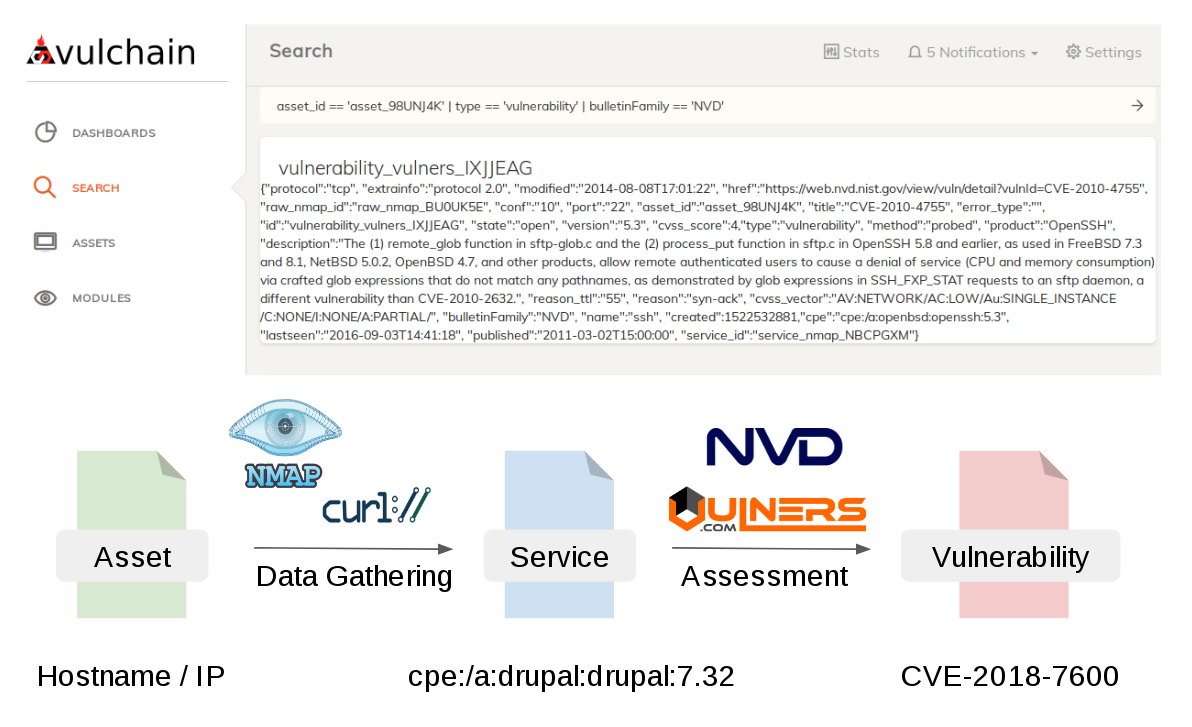
Vulchain scan workflow and search queries. This post will be about my Vulnerability Scanner project – Vulchain. Recently I’ve spent couple of my weekends almost exclusively on coding: refactoring the scan engine, creating API and GUI.

Vulchain scan workflow and search queries

I was doing it because of the conferences, where I will be speaking soon:

Pretty intense schedule for a guy who spends most of his time in PyCharm and Linux console. 😉 Very excited! So, it seemed right to add a couple of slides about my project and show that something is already working.

Continue reading

Converting Nmap xml scan reports to json

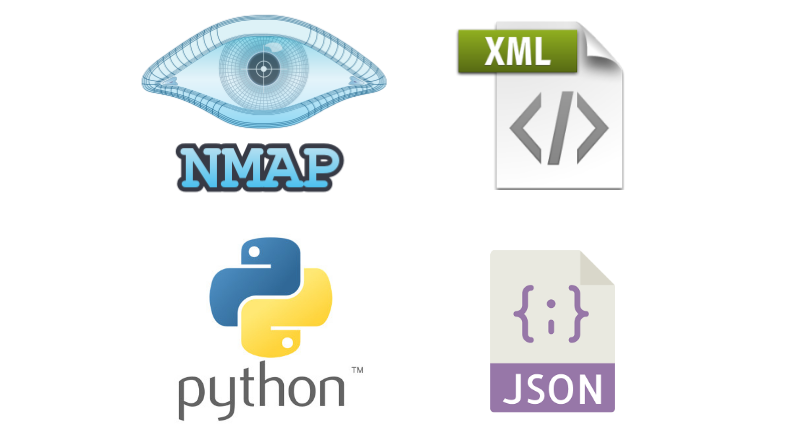
Converting Nmap xml scan reports to json. Unfortunately, Nmap can not save the results in json. All available output options:

-oN <filespec> (normal output)
-oX <filespec> (XML output)
-oS <filespec> (ScRipT KIdd|3 oUTpuT)
-oG <filespec> (grepable output)
-oA <basename> (Output to all formats)

And processing xml results may not be easy an easy task. Just look how I analyze the contents of the Nessus report in “Parsing Nessus v2 XML reports with python“. Not the most readable code, right? And what alternatives do we have?

Nmap json scan report

Formal XML to json conversion is impossible. Formats are very different. However, there are python modules, for example xmltodict, that can reliably convert XML into Python structures of dictionaries, lists and strings. However, they have to change some names of parameters to avoid collisions. In my opinion this is not a big price for convenience.

So, let’s see how this will work for Nmap command:

nmap -sV -oX nmap_output.xml avleonov.com 1>/dev/null 2>/dev/null

Continue reading

Making simple Nmap SPA web GUI with Apache, AngularJS and Python Twisted

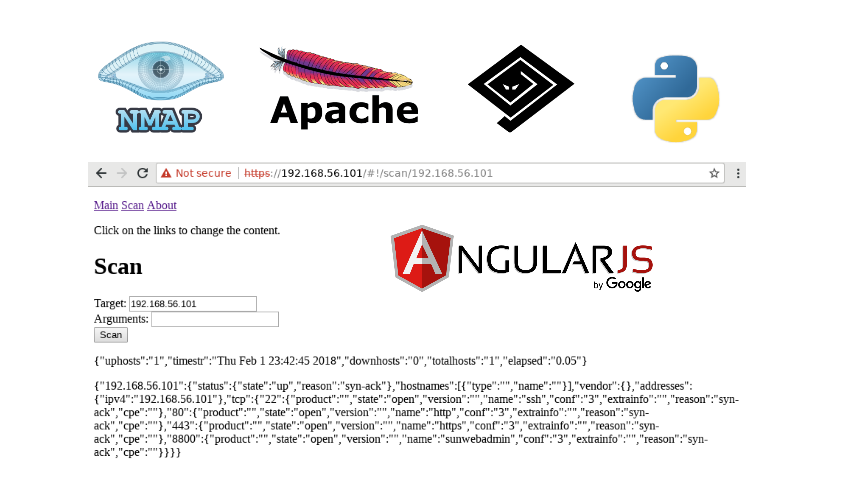
Making simple Nmap SPA web GUI with Apache, AngularJS and Python Twisted. The last time I was developing dynamic web applications years ago. I used CGI and PHP back then. 🙂 Now I am really interested in a modern approach, when you have a Single Page Web Application (SPA) written in HTML and JavaScript, that makes http requests to some external API.

It’s pretty cool, because your application becomes API-centric naturally. You work on human interface and improve integration capabilities at the same time. And the task of securing your web app mostly reduces to securing your formalized API.

nmap SPA GUI

The very best way to learn something new is to write a post about this stuff. 😉 Here I will reproduce my own steps of making a very basic web app:

  1. Launch Apache web-server with http/https.
  2. Make a simple API service: Nmap wrapper.
  3. Make a web-application with “multipage” experience. There should be at least two pages: Scan and About.
  4. On Scan page it will be possible to input a target (hostname or IP), scan arguments and  launch scan by clicking on the button. The same behavior will be if the target will be passed as a parameter in address bar.
  5. On other pages should be some static text.

As you can see, it is a very limited task, but it should clear up the most confusing parts of the process.

Continue reading